
CLM & eDetailing: interactive sales presentations for your field team
We turn your sales story into a tablet presentation your team shows at every visit. It works offline and tells you what each customer cares about. For the pharmaceutical industry and for any company that sells face to face.
What is a CLM?
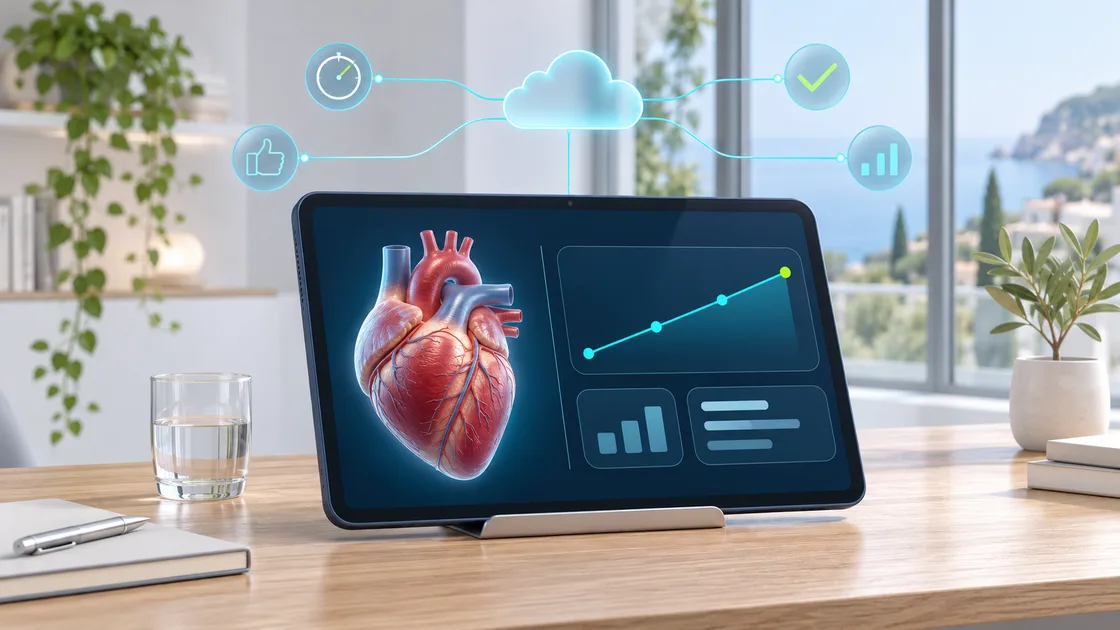
A sales rep visits a doctor. She used to carry a printed leaflet; today she carries an iPad with a presentation you can touch: a chart that builds up, a dose calculator, a video, the prescribing information one tap away.
That is a CLM: an interactive tablet presentation the sales team shows at every visit. It works offline and, while it is being shown, it records which screens interest each customer.
Why "Closed Loop Marketing"?
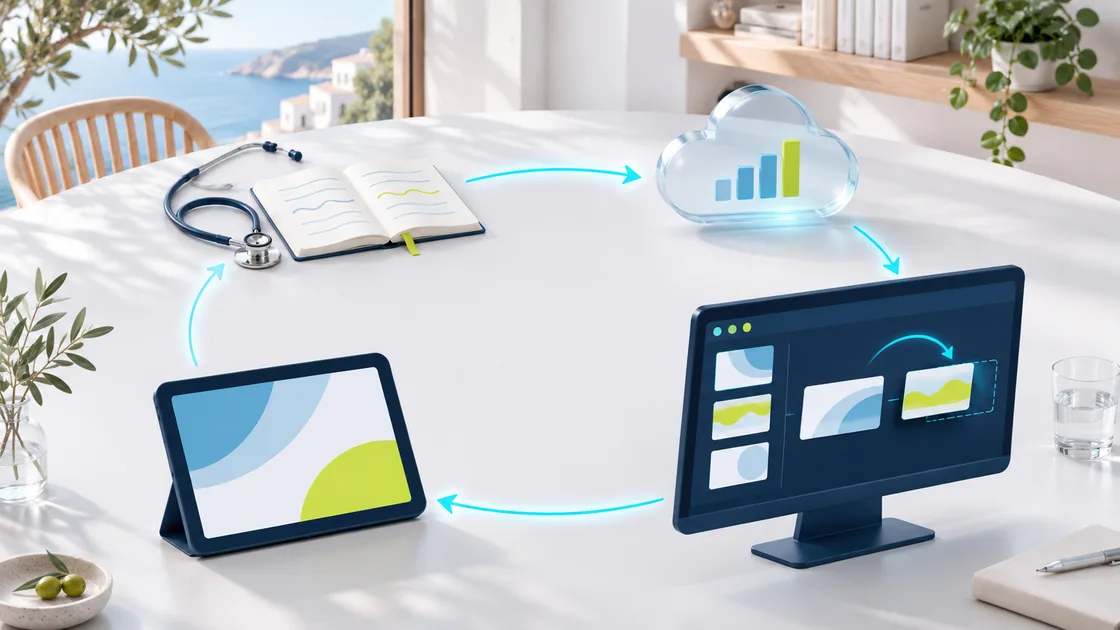
Because it closes the loop: you present, measure what worked, improve the next version and present again. Marketing stops working blind.
-
01
Present
On an iPad, on Windows or over a video call. With or without coverage.
-
02
Measure
How long each screen is viewed, what is tapped and what is answered.
-
03
Improve
The data shows which message works and which one needs to change.
Other names for the same thing: eDetailing, eDetail, visual aid or interactive visual aid. Outside pharma it is usually called an interactive sales presentation.
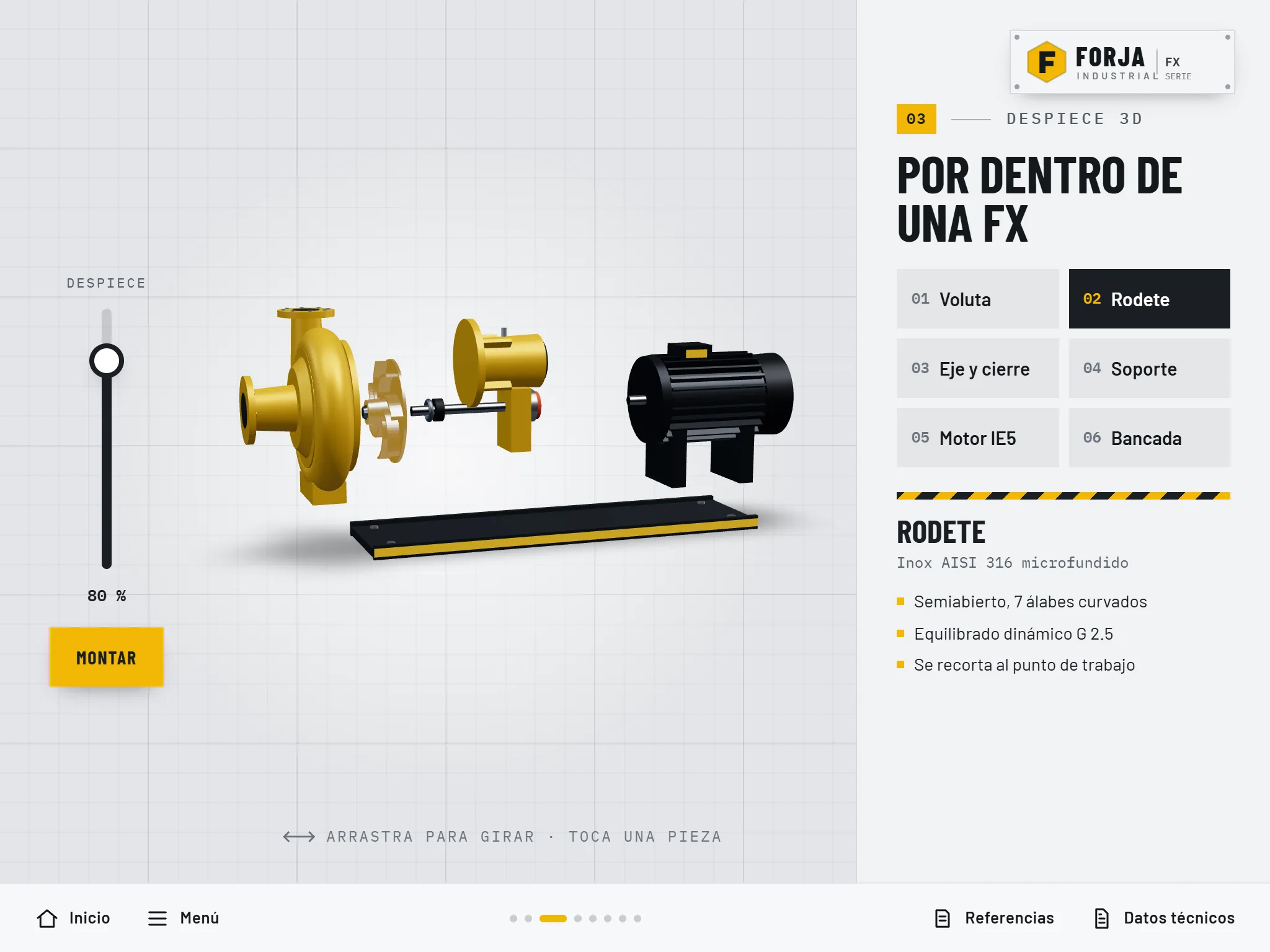
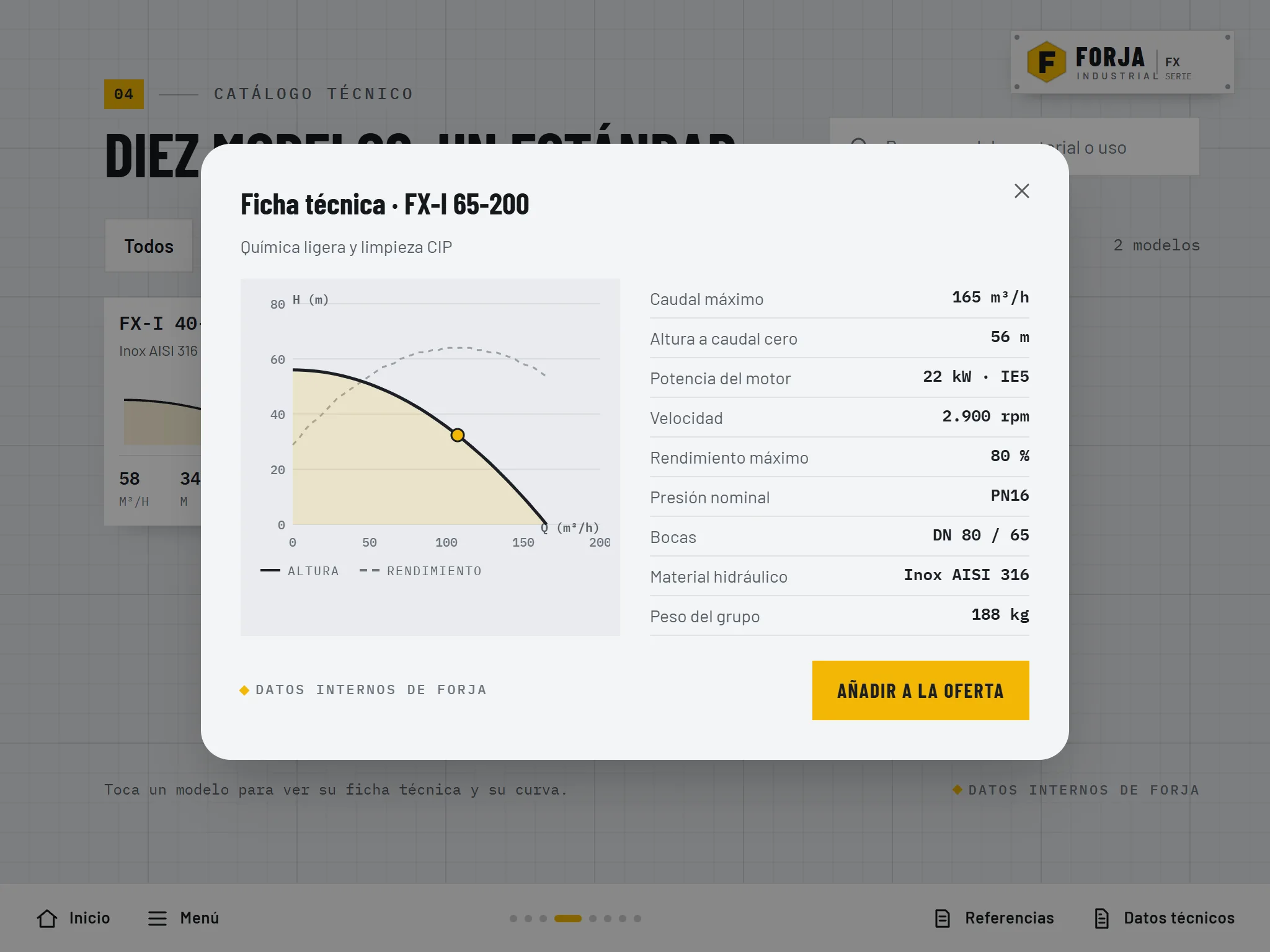
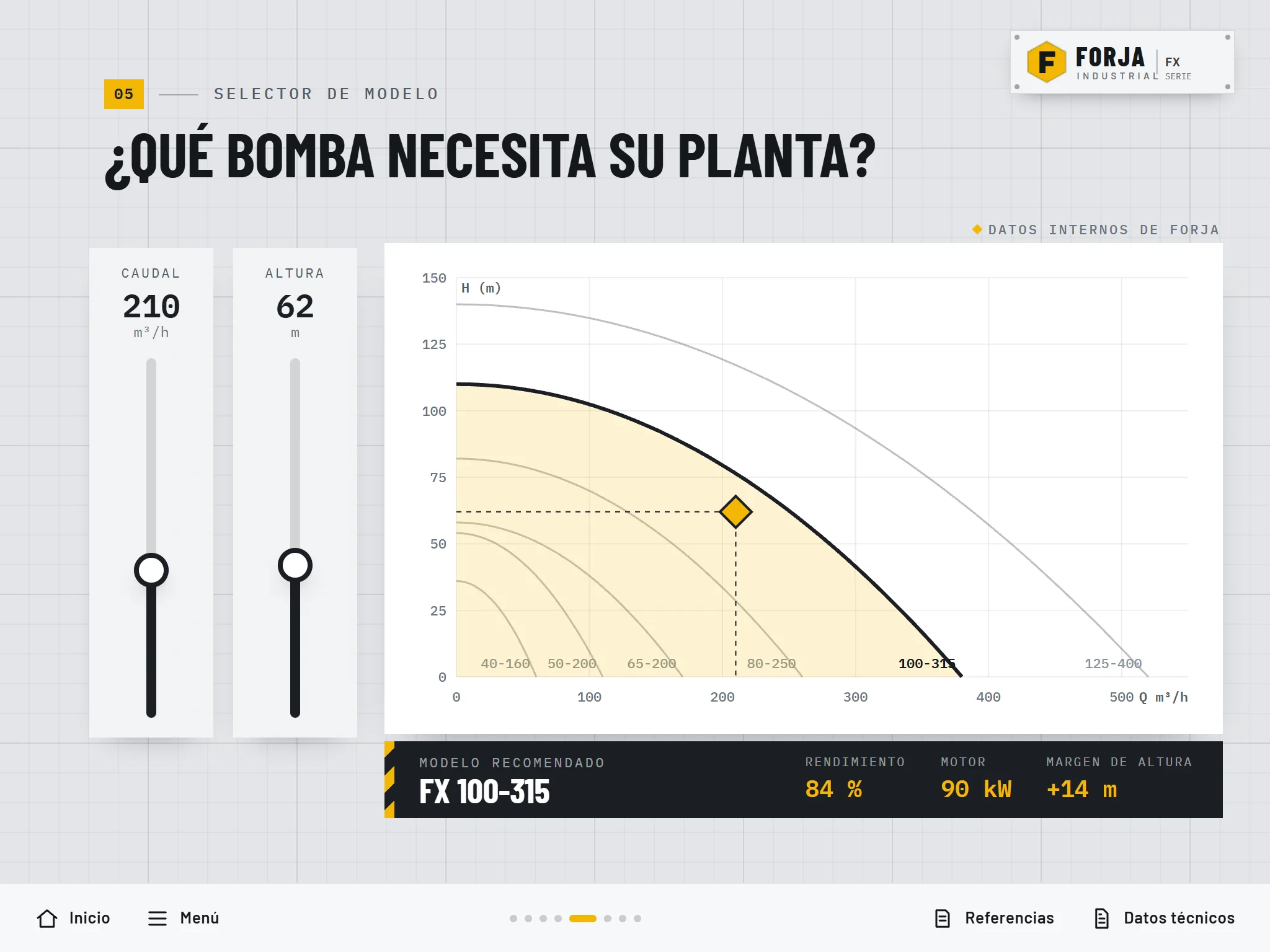
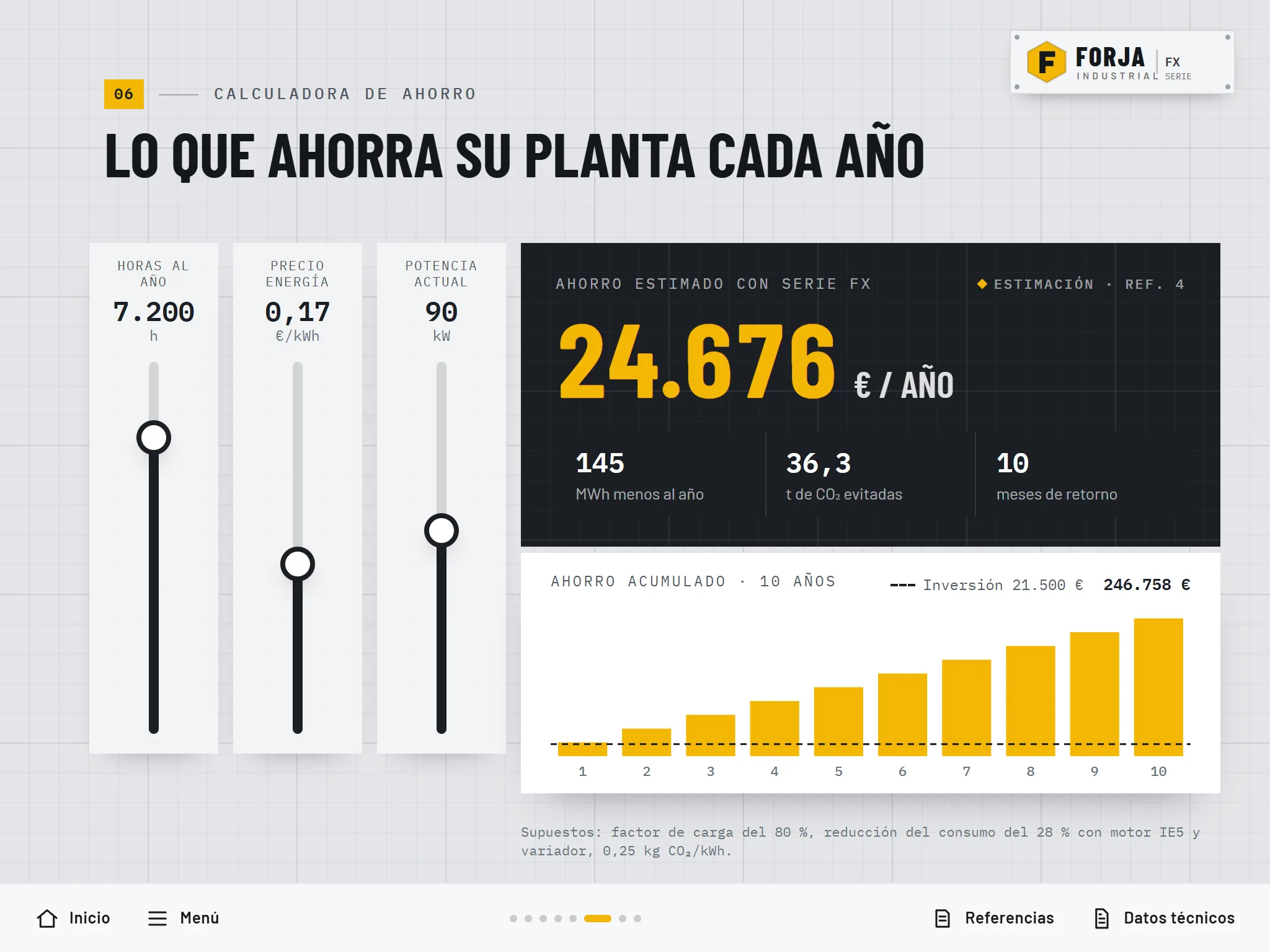
A CLM in action: Forja Industrial
A sales rep shows the pump in 3D, filters the catalogue, picks the right model with the customer and works out the savings. On the right, what the CRM records: every screen, every second and every answer.
How is it different from a PDF or a PowerPoint?
| PDF or PowerPoint | CLM | |
|---|---|---|
| You can touch it and it responds: calculators, simulators, questions | No | Yes |
| It adapts to each customer: profile, first or second visit | No | Yes |
| It works offline on the rep's tablet | Partly | Yes |
| You know which screens were seen and for how long | No | Yes |
| Only the approved version can be shown | No | Yes |
| A follow-up email can be sent straight from the visit | No | Yes |
Everything your field team needs, from the idea to the tablet
One design, content and development team for every piece: the presentation, its tools, the emails, publishing on your platform and everything that comes after.
Interactive presentations
Classic eDetailing, done well: a clear story told with a swipe, with a menu, animations, pop-ups with more detail, references and prescribing information one tap away.
- Navigation tree and script
- Reusable brand template
- Animations and charts that build up
- Video inside the presentation
Interactive tools
What turns a presentation into a conversation: the customer taps, tries and sees the result straight away.
- Dose, savings or cost calculators
- Case simulators and patient profiles
- Product finders and configurators
- 3D models and 360º spaces
Approved emails
Email templates the rep sends after the visit, with content blocks they choose and only the fields that may be personalised. You know whether they are opened and what is clicked.
- Templates and fragments (Approved Email)
- Controlled personalisation fields
- Meeting and webinar invitations
Remote presentations
The same presentation, shown over a video call. We prepare it to look right on the customer's screen without relying on anything that does not travel well over the network.
- Adapted for remote meetings (Engage and similar)
- Desktop and mobile versions
- Alternatives to 3D and video in remote sessions
Libraries and tailored presentations
All your material organised and easy to find, plus the option for each rep to build their own presentation from approved screens.
- Libraries with filters and search
- Custom presentations built from approved slides
- Content segmented by profile or visit
Scientific and MSL material
Tools for the company's medical roles: studies, data and answers organised for scientific conversations, not sales ones.
- Study summaries with filters
- Prepared answers to frequent questions
- Surveys to gather insights
Migration and adaptation
We start from what you already have: a PDF, a PowerPoint or presentations built for another platform. We convert them, adapt them to another country or language, or move them to your new CRM.
- From PDF or PowerPoint to CLM
- Platform changes, such as the move to Vault CRM
- Country and language versions
Publishing, measurement and maintenance
We prepare the packages with the naming and metadata your platform expects, support the review and approval rounds, and keep everything up to date.
- Packages ready to upload and test
- Support through medical, legal and regulatory review
- Usage measurement and new versions
Everything a CLM can do
Each presentation combines several of these pieces. We help you choose the ones that fit your message and your customer.
-
Interactive presentation
Screens you swipe through, with a menu, animations and pop-ups with more detail.
Example: A product story: the problem, how it works, the results and how to use it.
-
Interactive charts
Charts that build up when tapped or compare options side by side.
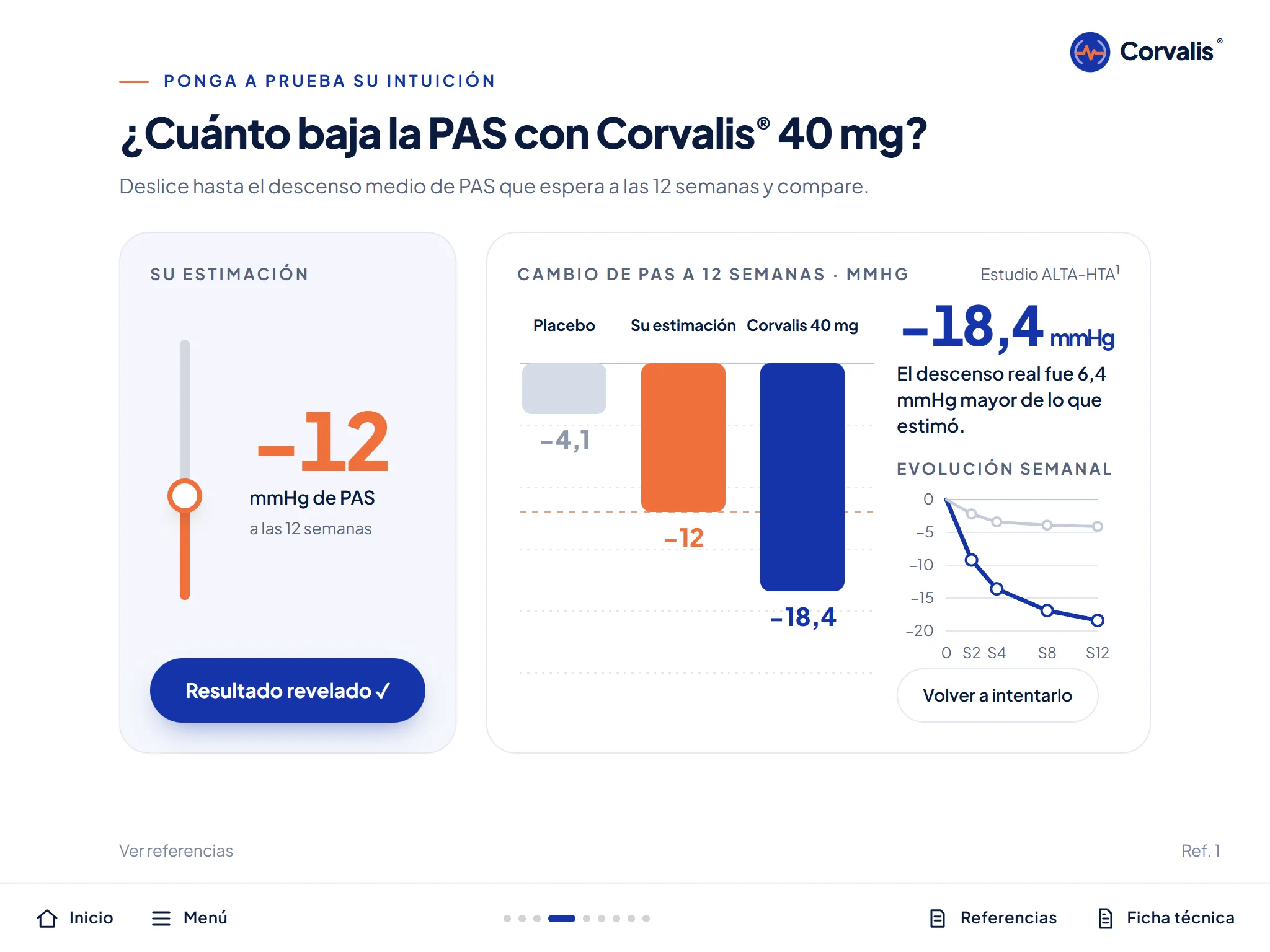
Example: "How much do you think blood pressure drops?": the doctor guesses and the real figure appears.
-
Calculators
They do the maths on the spot with the customer's data.
Example: Dose by body weight, yearly savings or cost per patient.
-
Product finder
A few questions and it tells you which option fits.
Example: The pharmacy customer's age and need, and the right products for them.
-
Case simulator
A guided case, step by step, with decisions and outcomes.
Example: "A 67-year-old patient with…": choose the treatment and see what happens.
-
Surveys
Questions during or after the visit. And what the customer chooses to look at counts too: it shows what they care about without asking.
Example: "What matters most to you: efficacy, safety or price?"
-
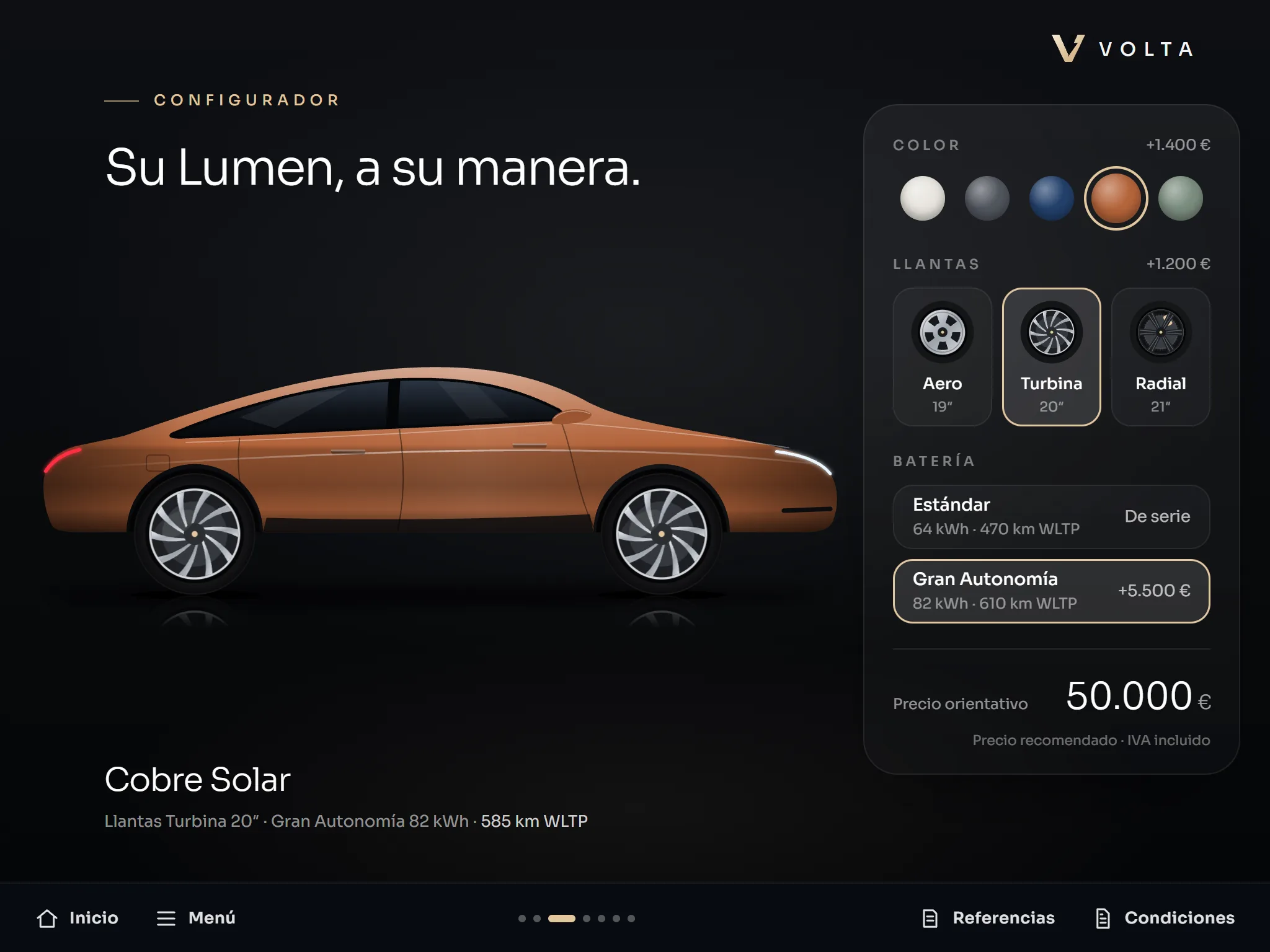
Configurator
Build the product to the customer's needs, in front of them.
Example: Colour, wheels and battery of a car; the modules of a machine.
-
3D and 360º
Models you can rotate and open up, or spaces you can walk through.
Example: An exploded knee implant or a pharmacy in 360º.
-
Content library
All the material organised and searchable: videos, studies, leaflets.
Example: The rep finds the requested study in seconds.
-
Slide selector
The rep builds their own presentation from an approved catalogue of screens.
Example: A short version for a five-minute visit.
-
Segmented content
Shows one thing or another depending on the customer or the visit number.
Example: First visit: the product. Third visit: cases and news.
-
Approved email
A pre-approved email the rep sends after the visit, personalising only what is allowed.
Example: "As discussed, here is the study…", and you know whether it was opened.
-
Video call presentation
The same presentation, shown remotely.
Example: A remote visit when meeting in person is not possible.
-
MSL tools
Scientific material for the company's medical roles.
Example: Study summaries filtered by topic.
-
Objection handler
A search tool with prepared, reviewed answers to the tough questions. Everything is written and approved in advance.
Example: "What if the patient is already taking…?" and the answer with its reference.
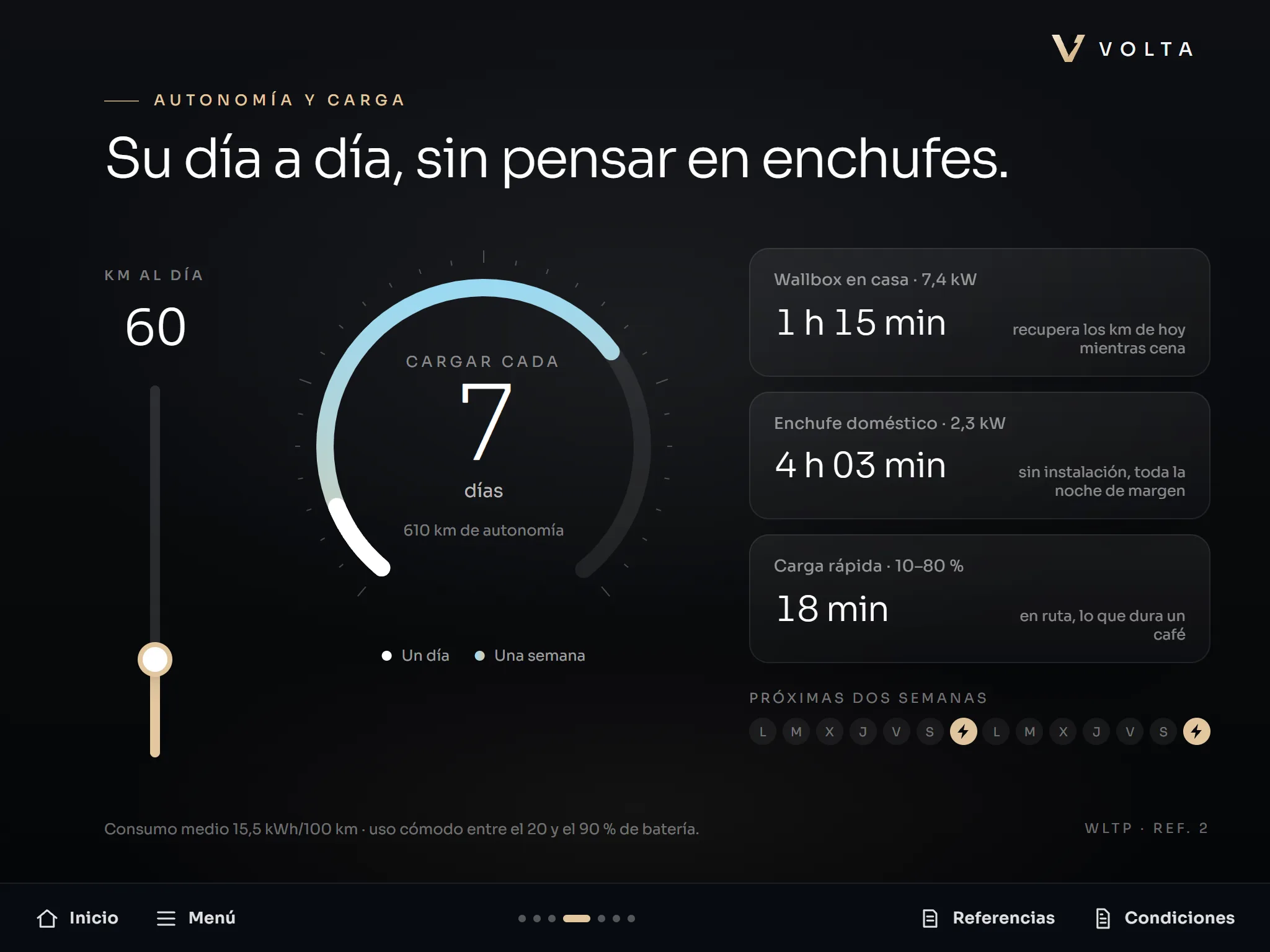
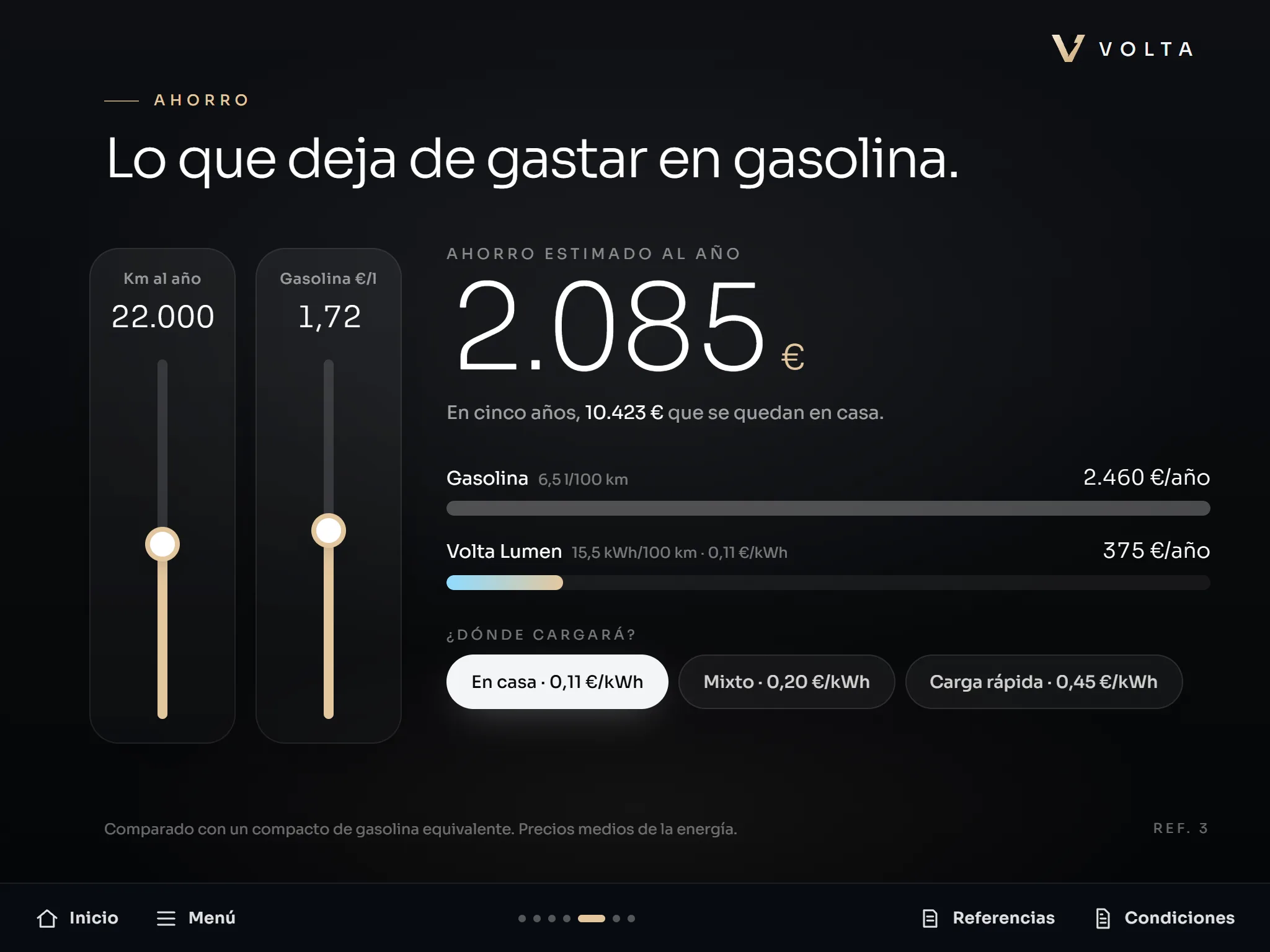
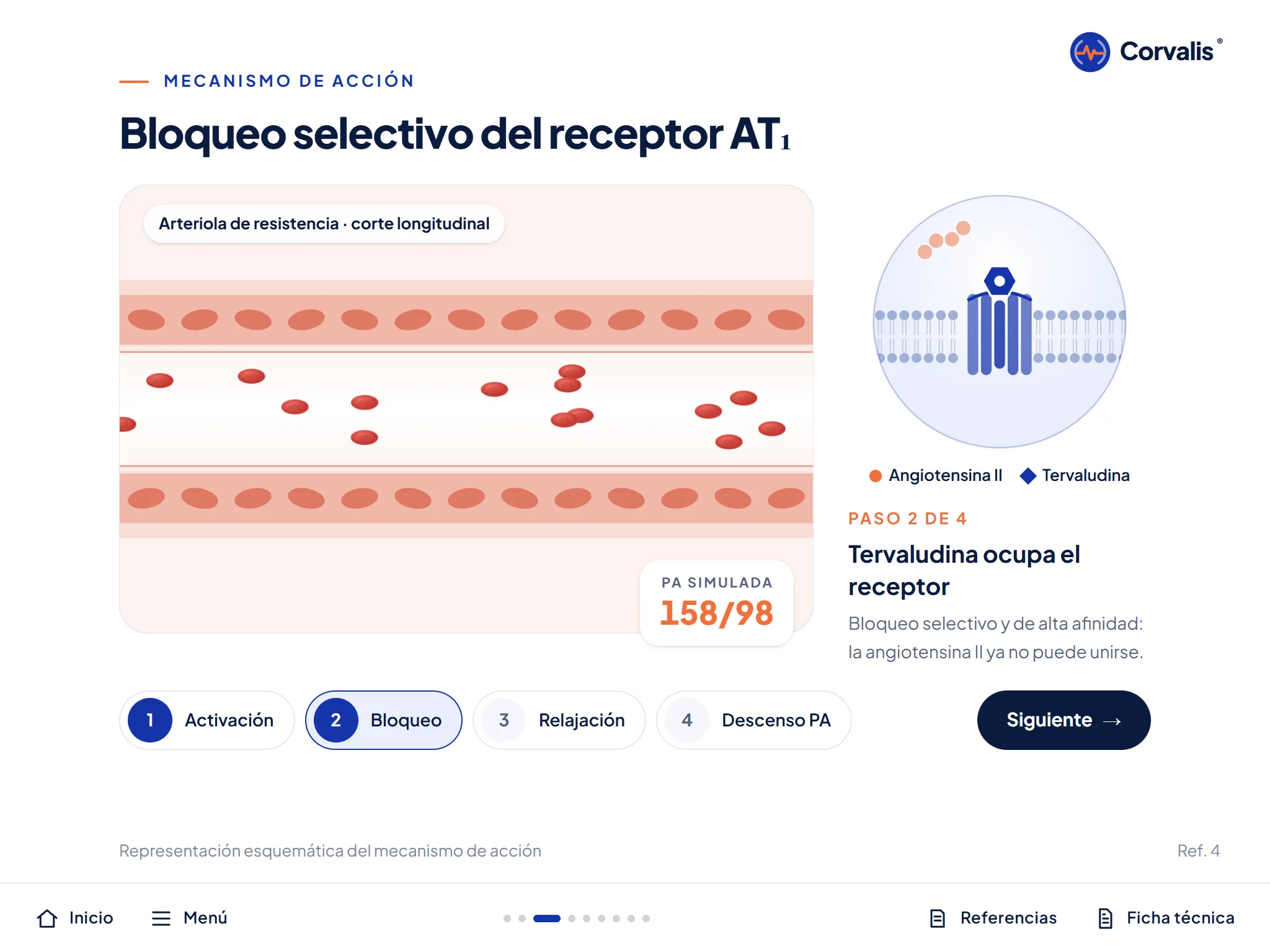
Six presentations for six sectors
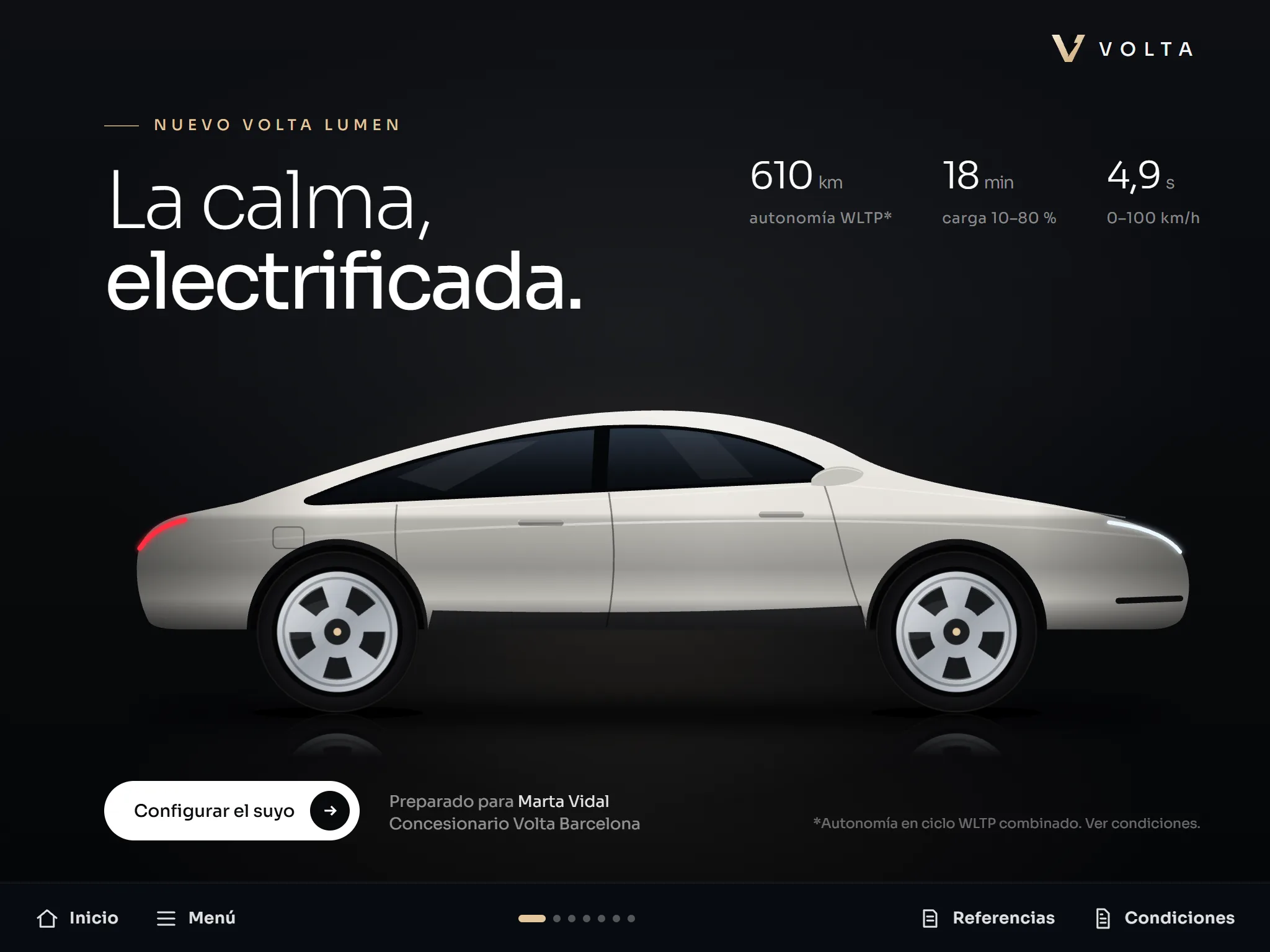
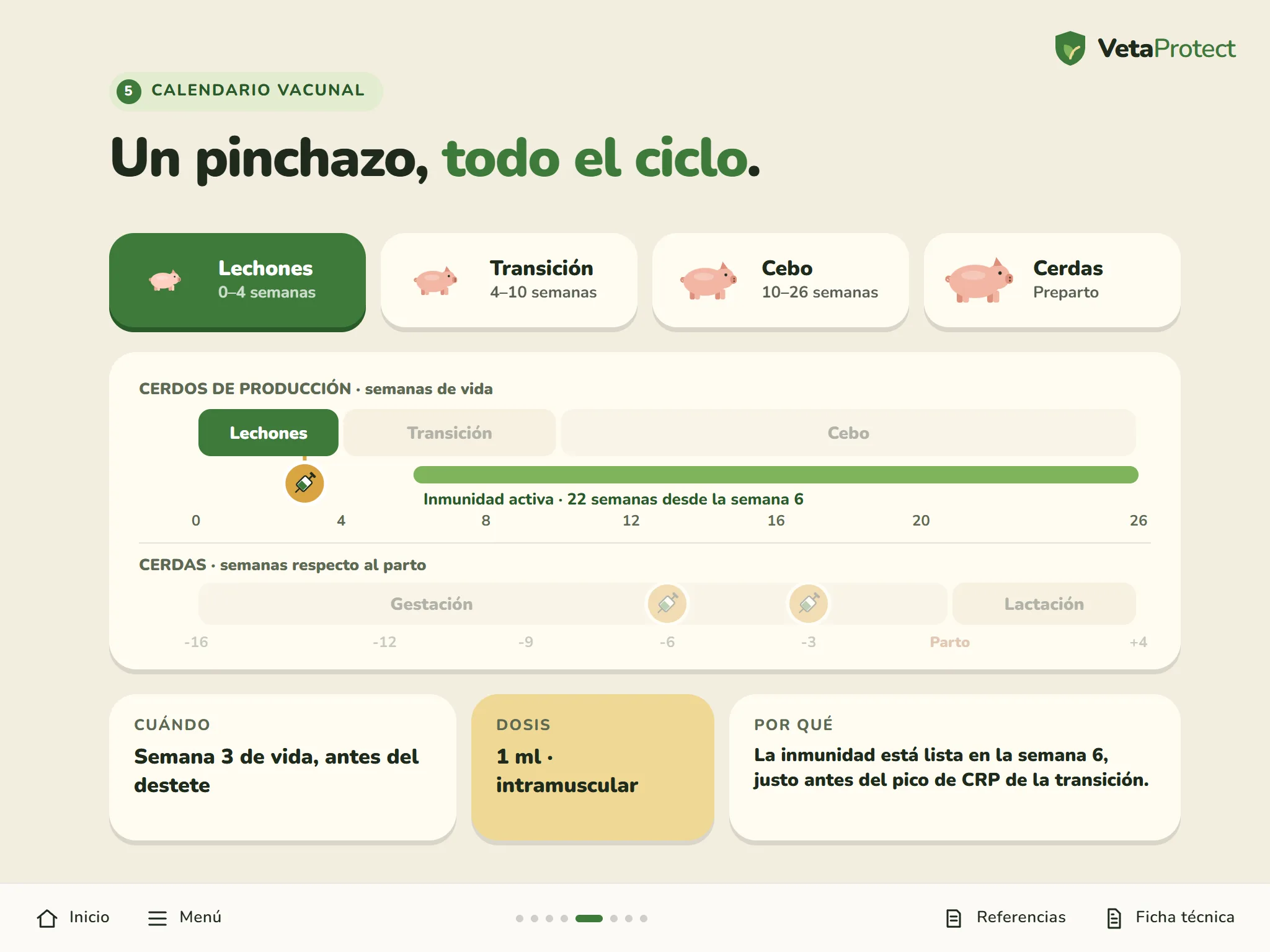
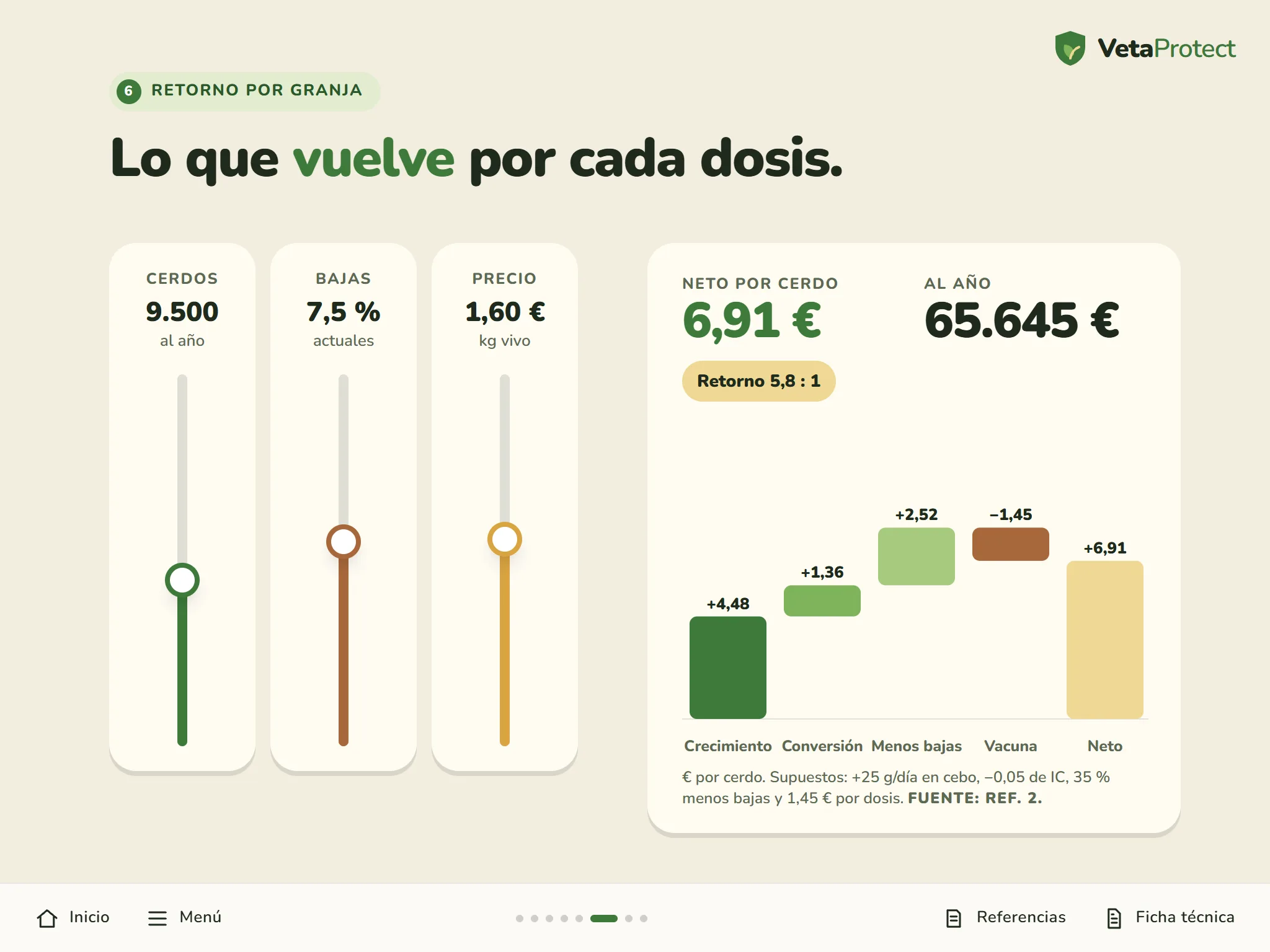
Here are examples from different sectors: industry, automotive, pharma, medical devices, pharmacy and animal health. Each one with what works best in its kind of visit.
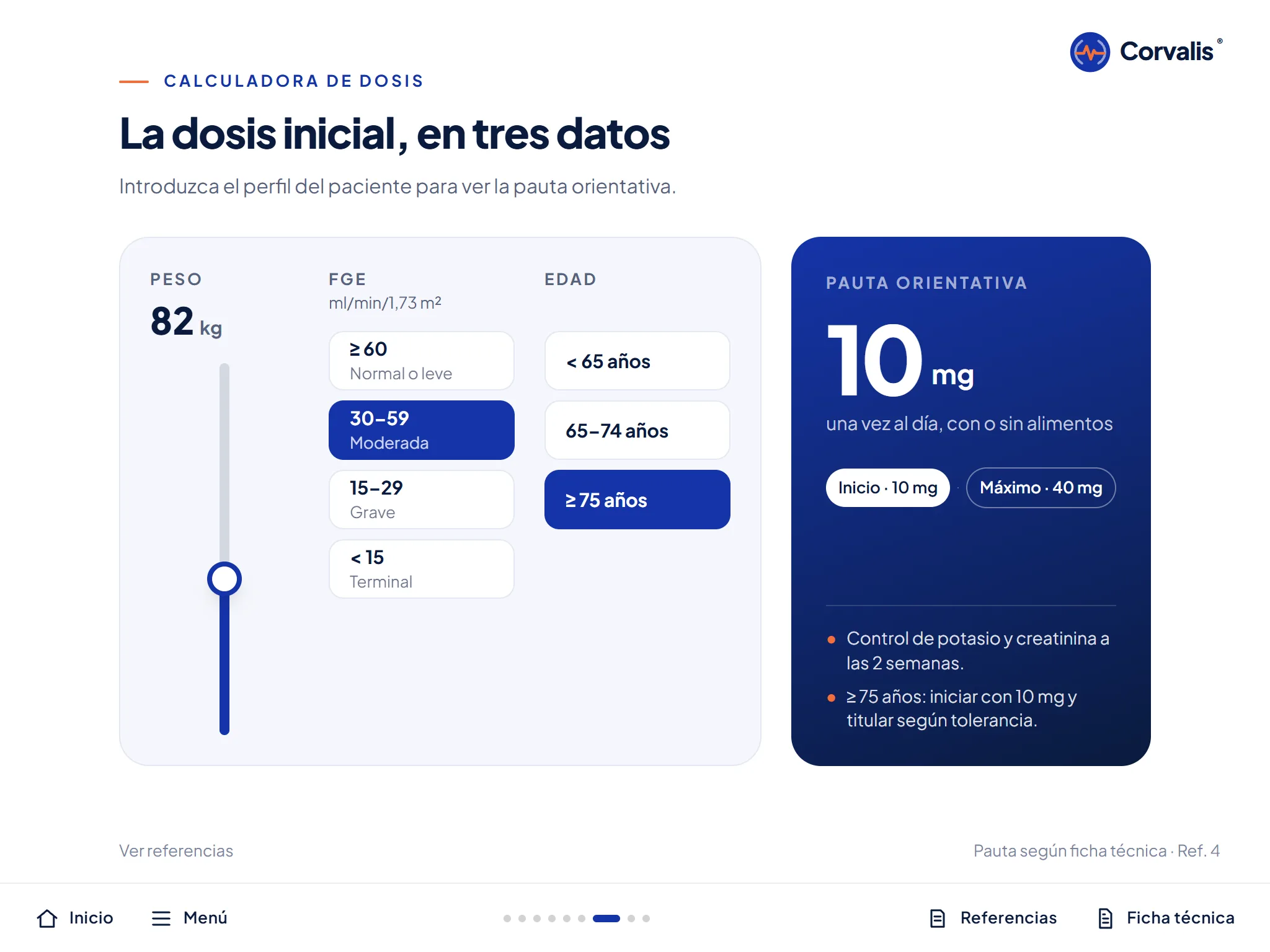
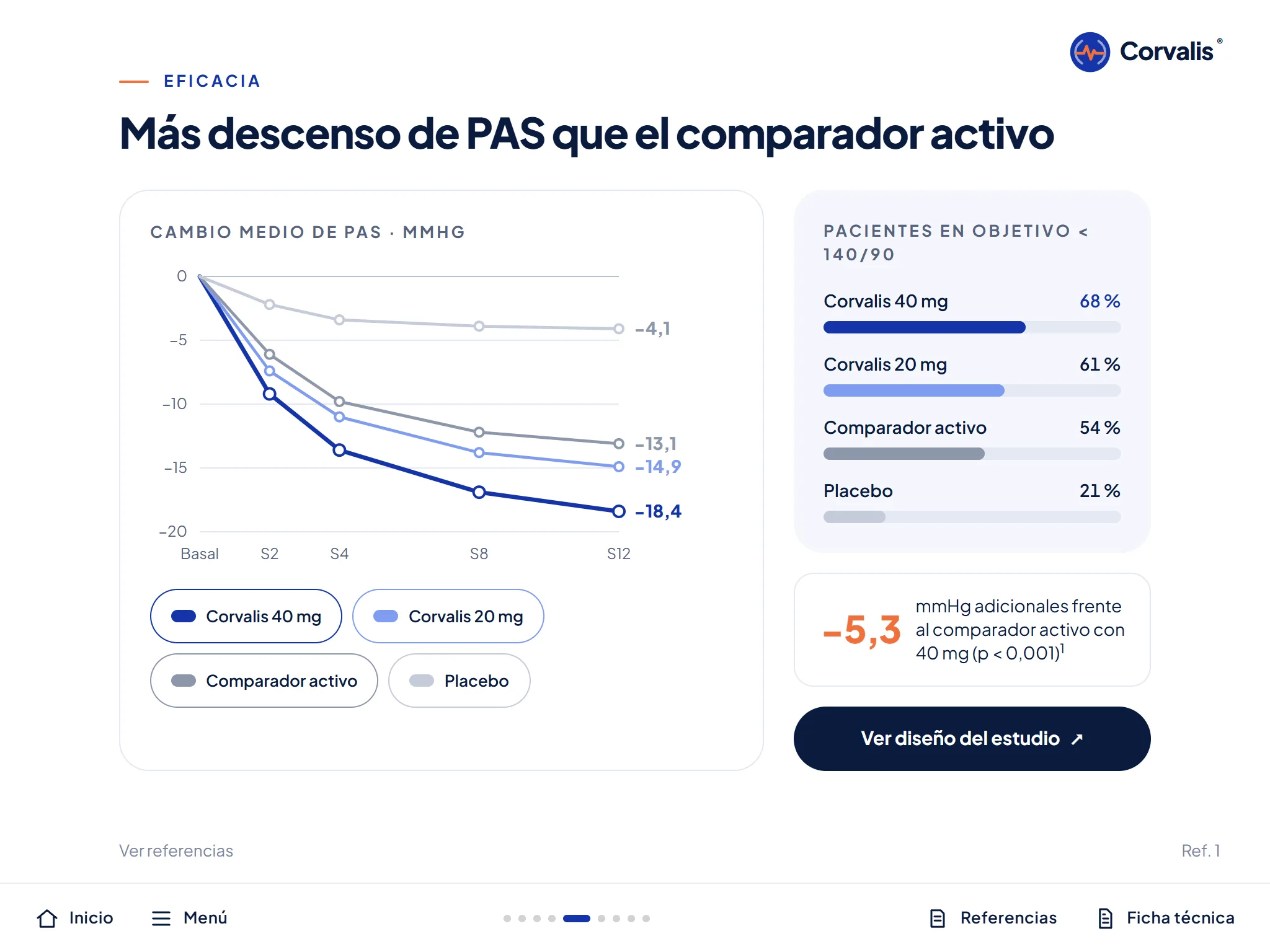
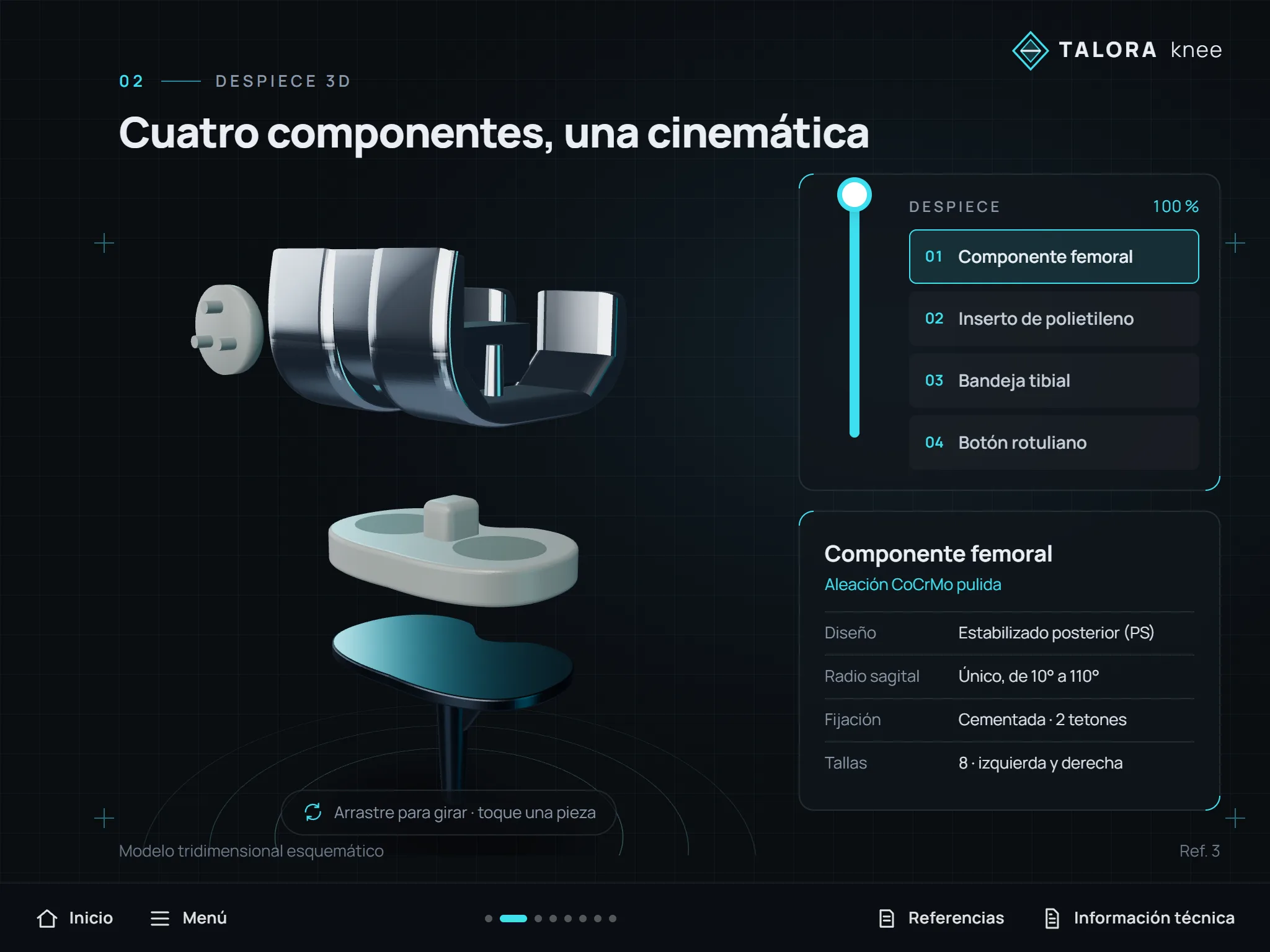
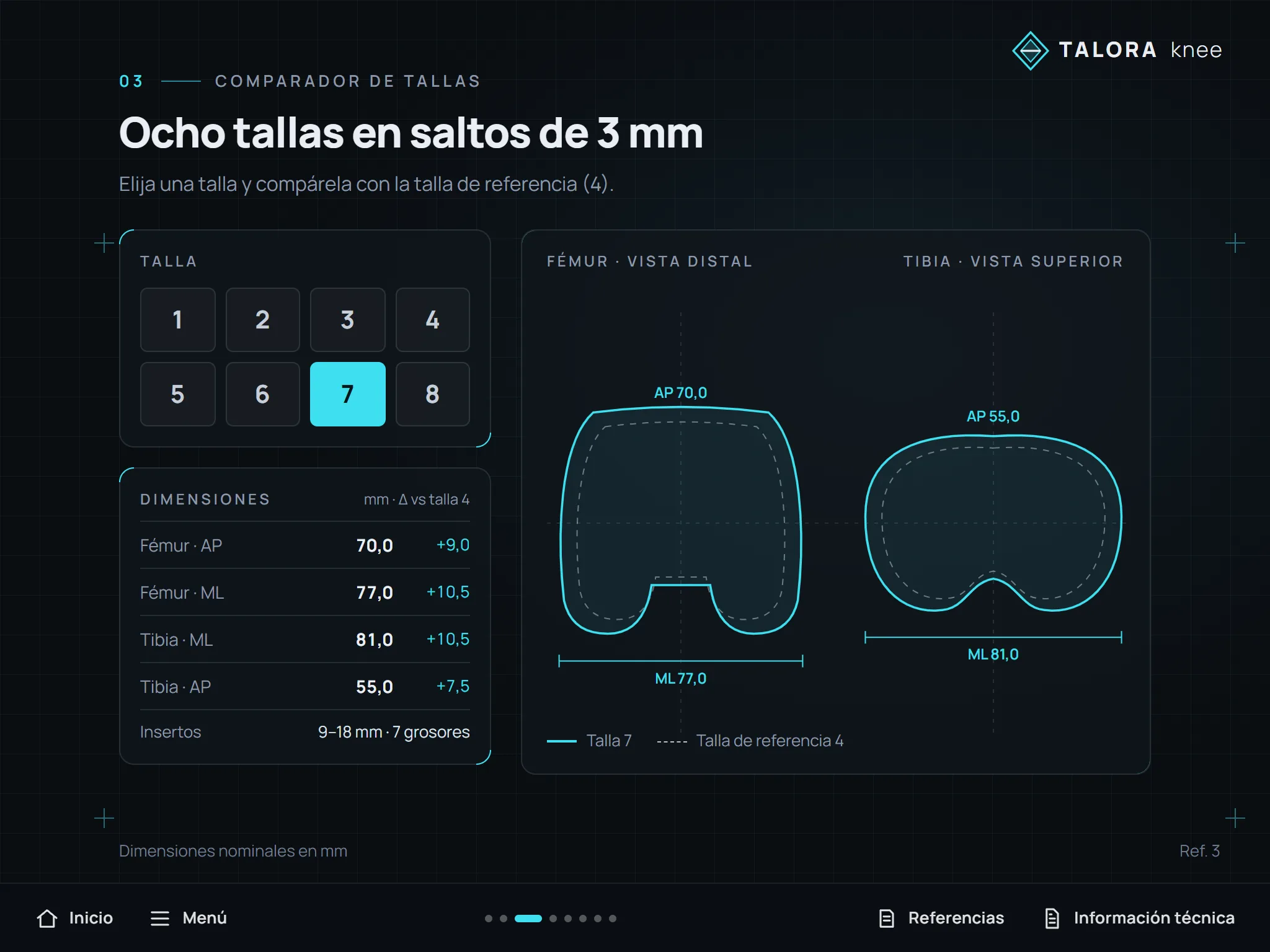
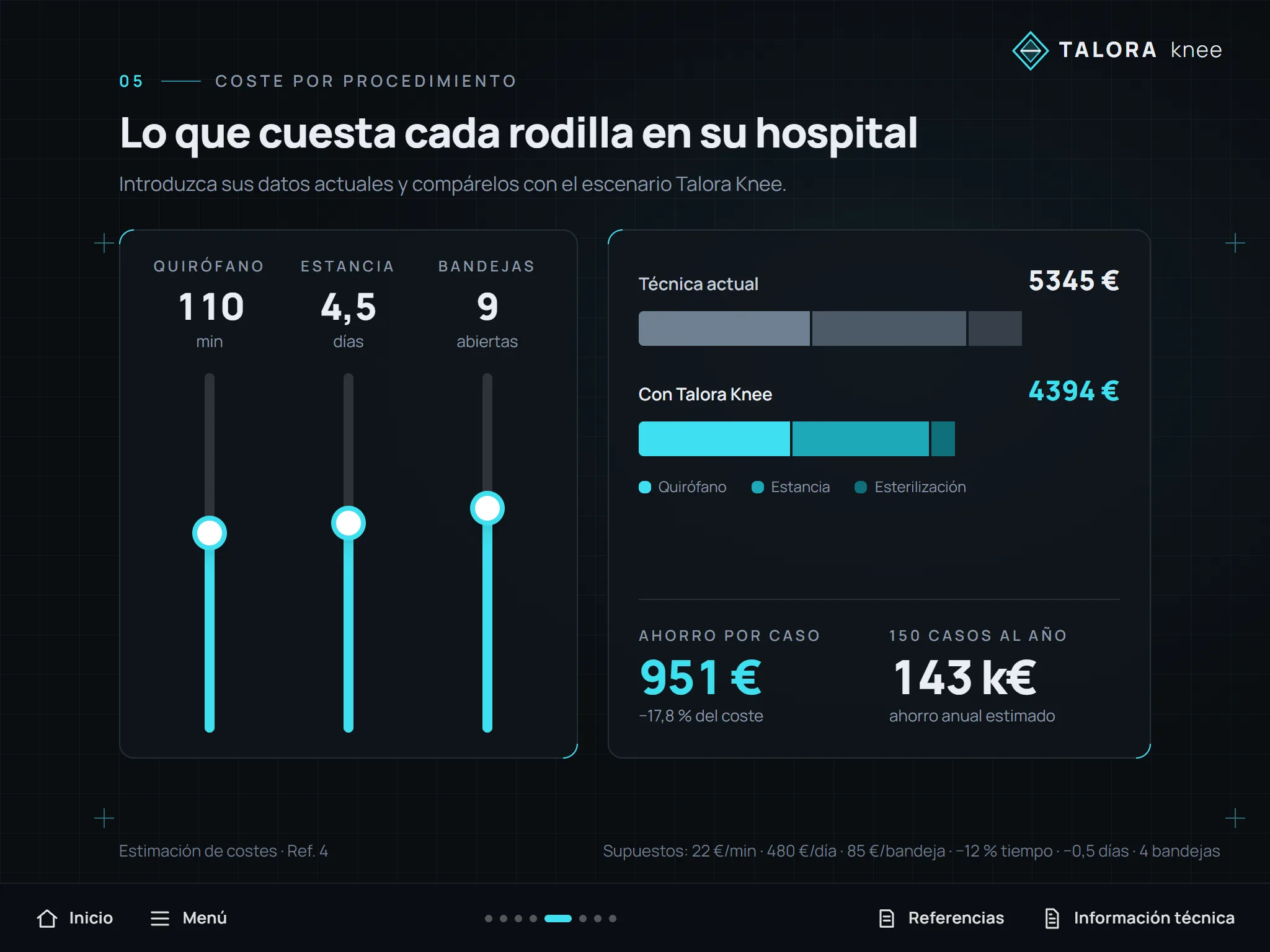
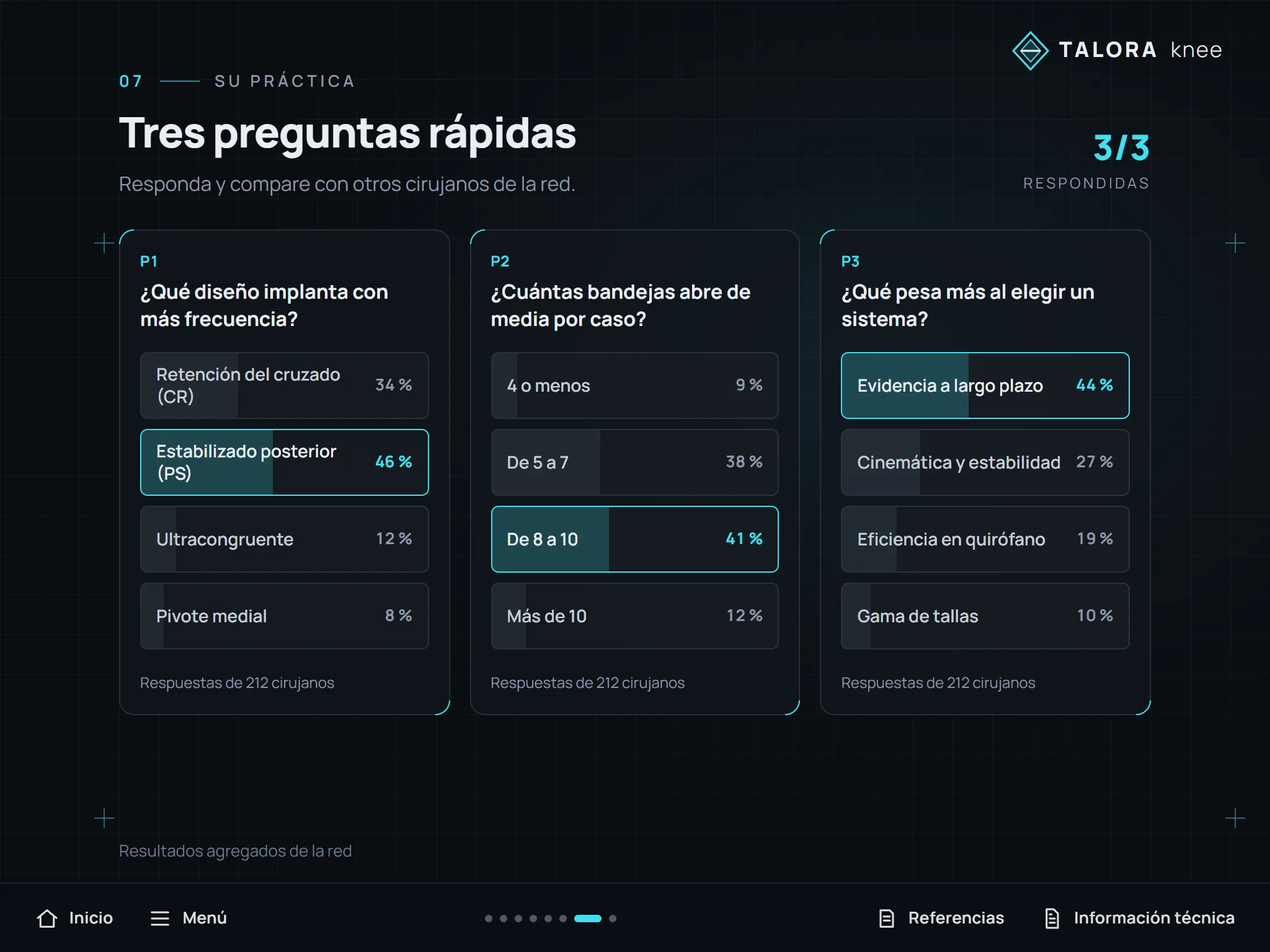
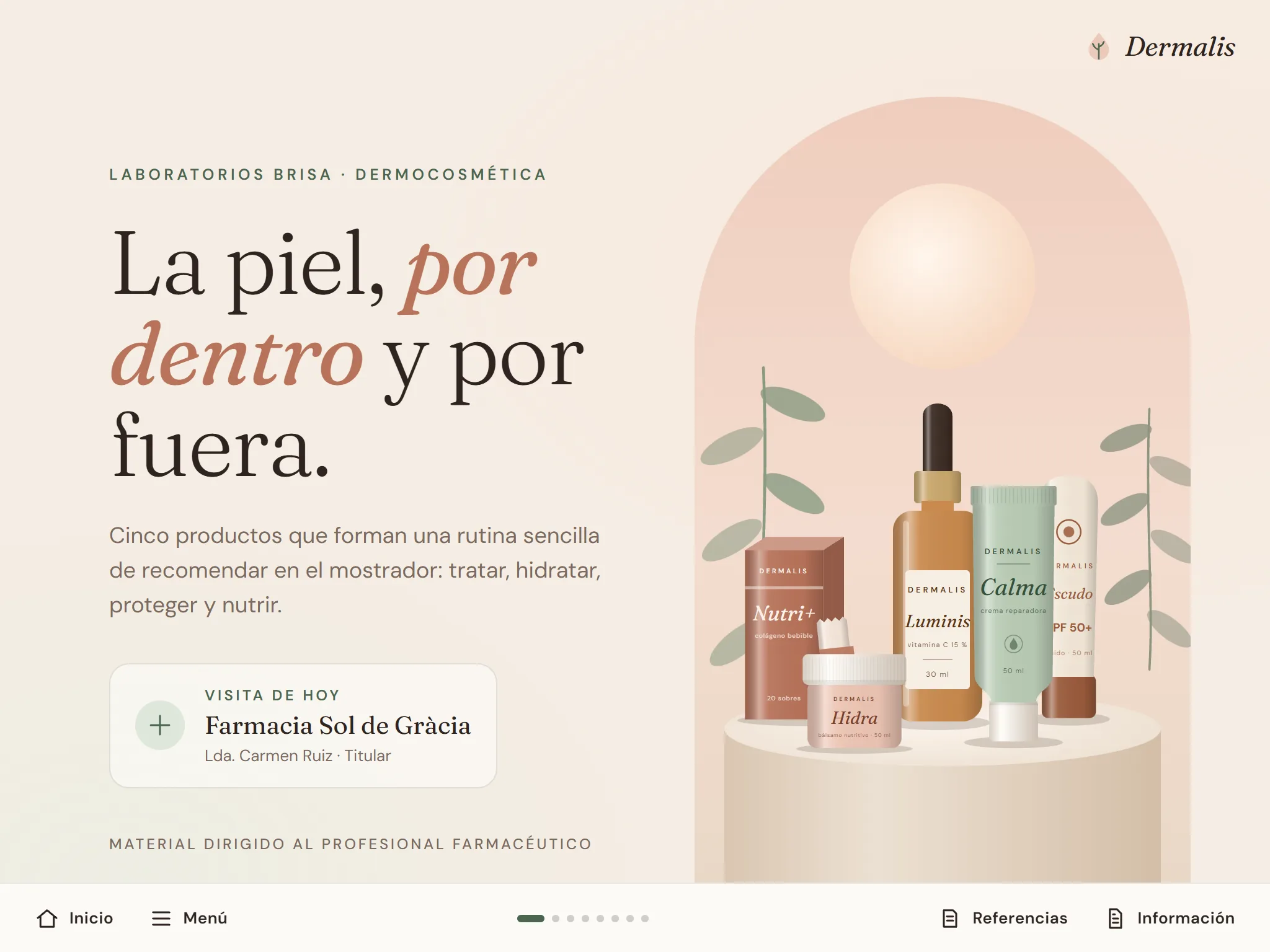
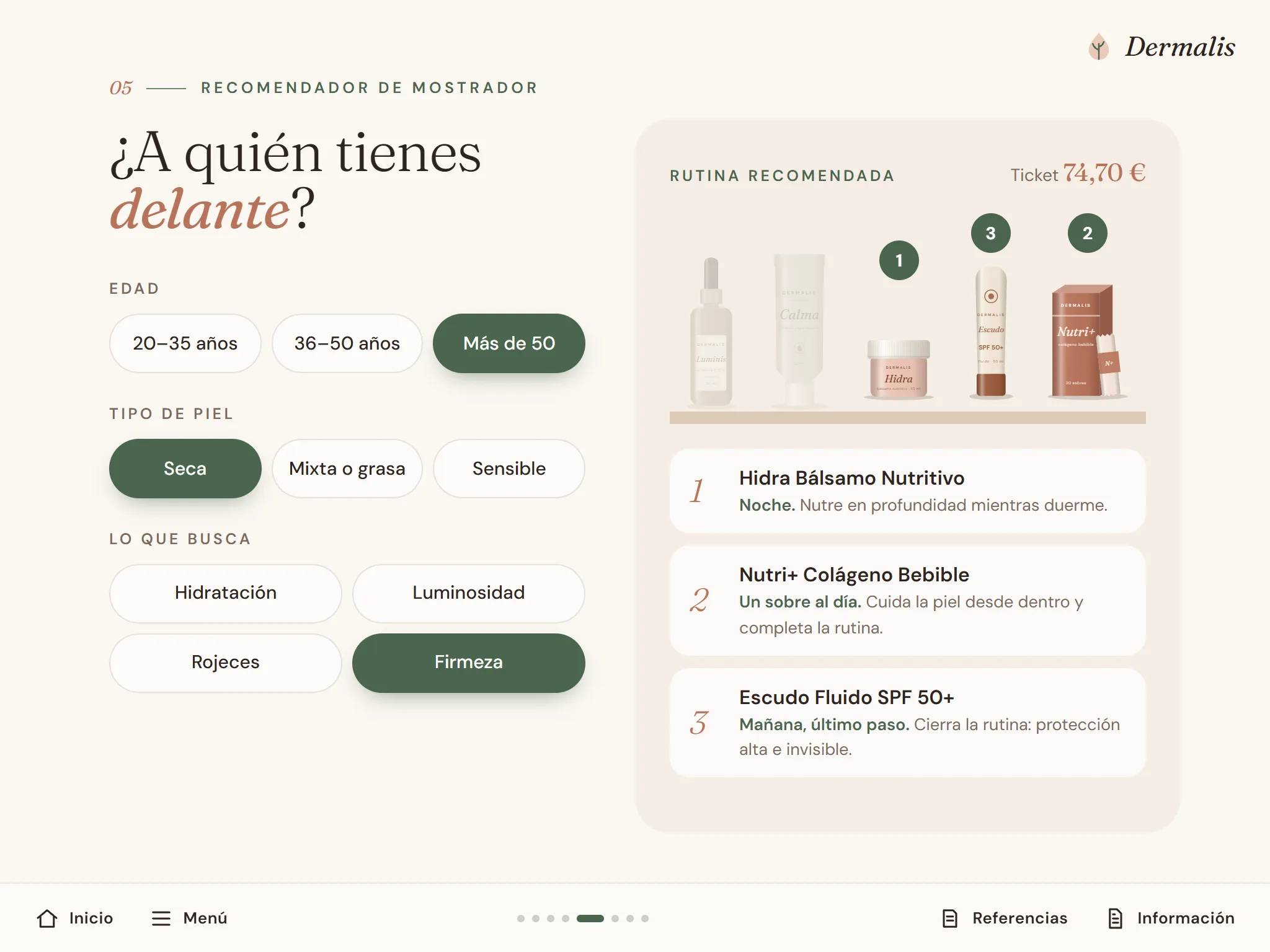
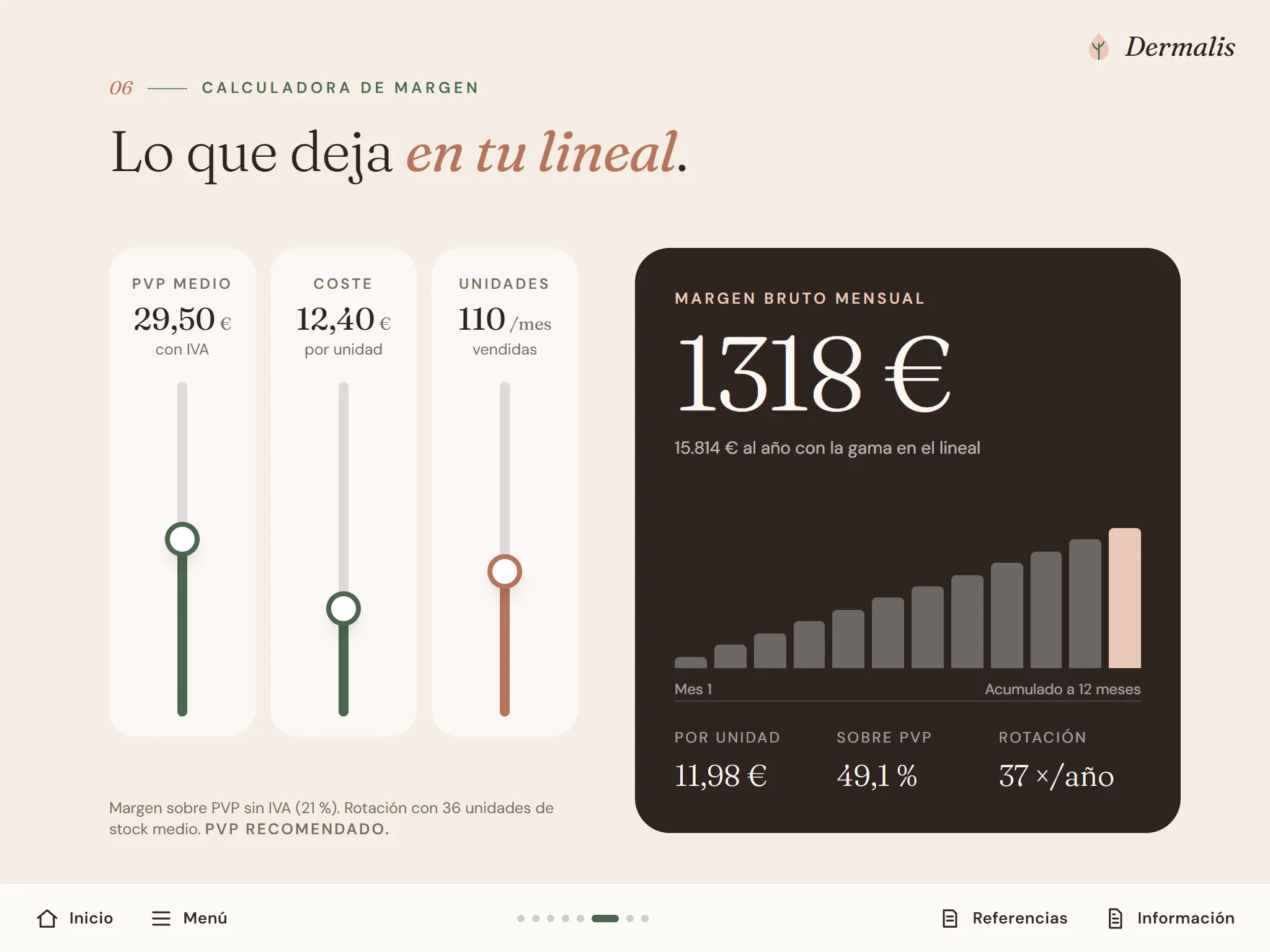
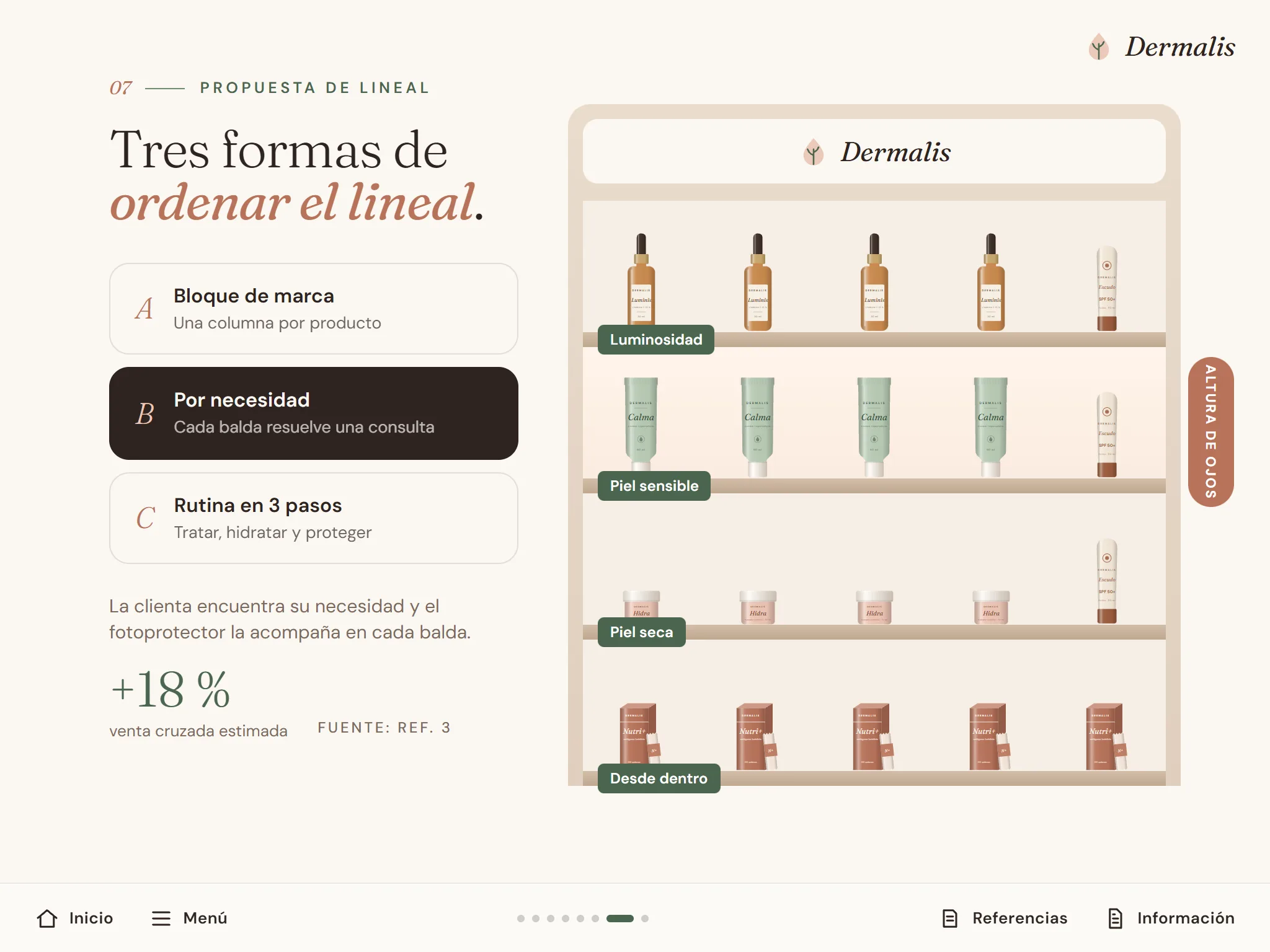
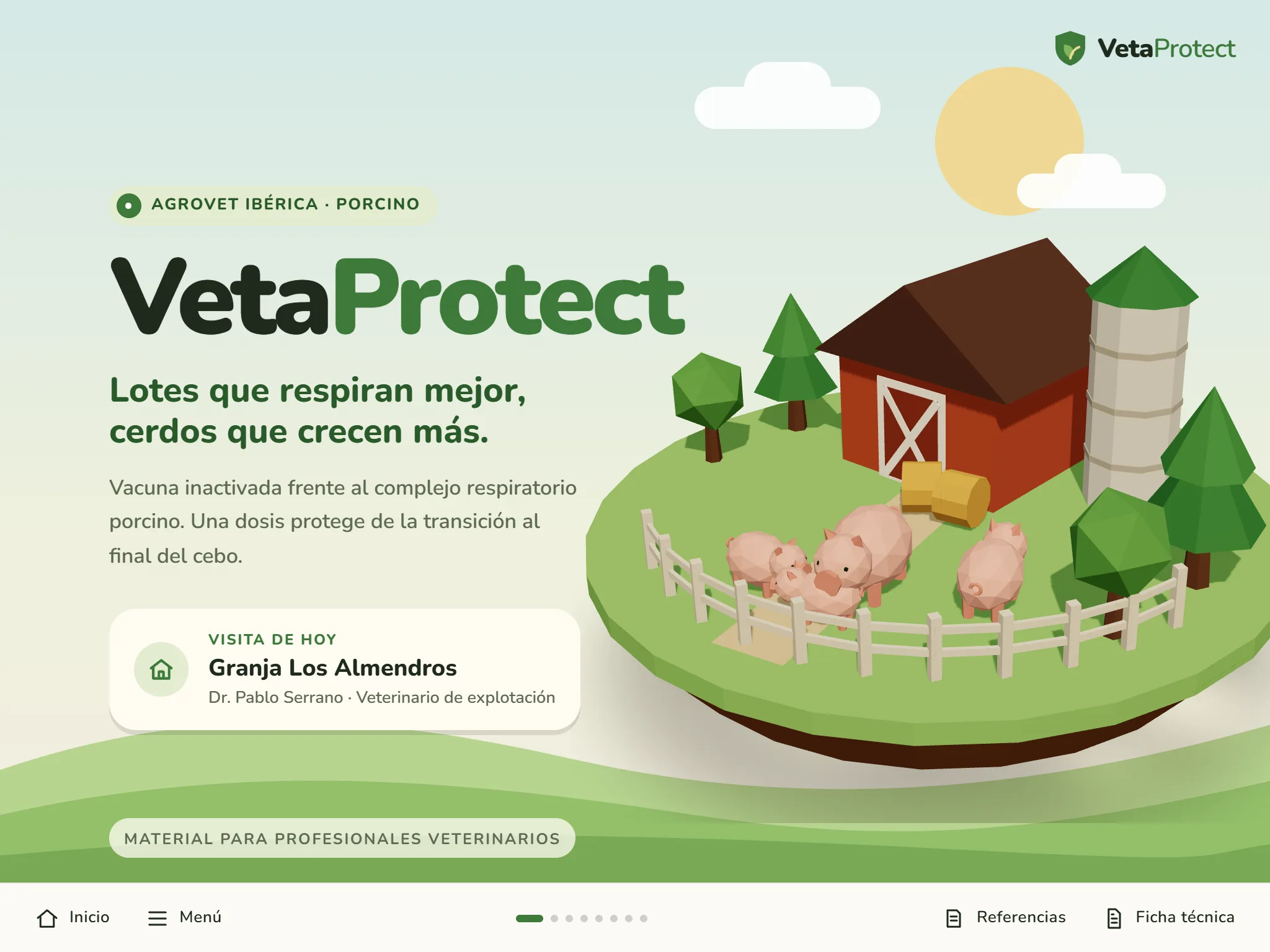
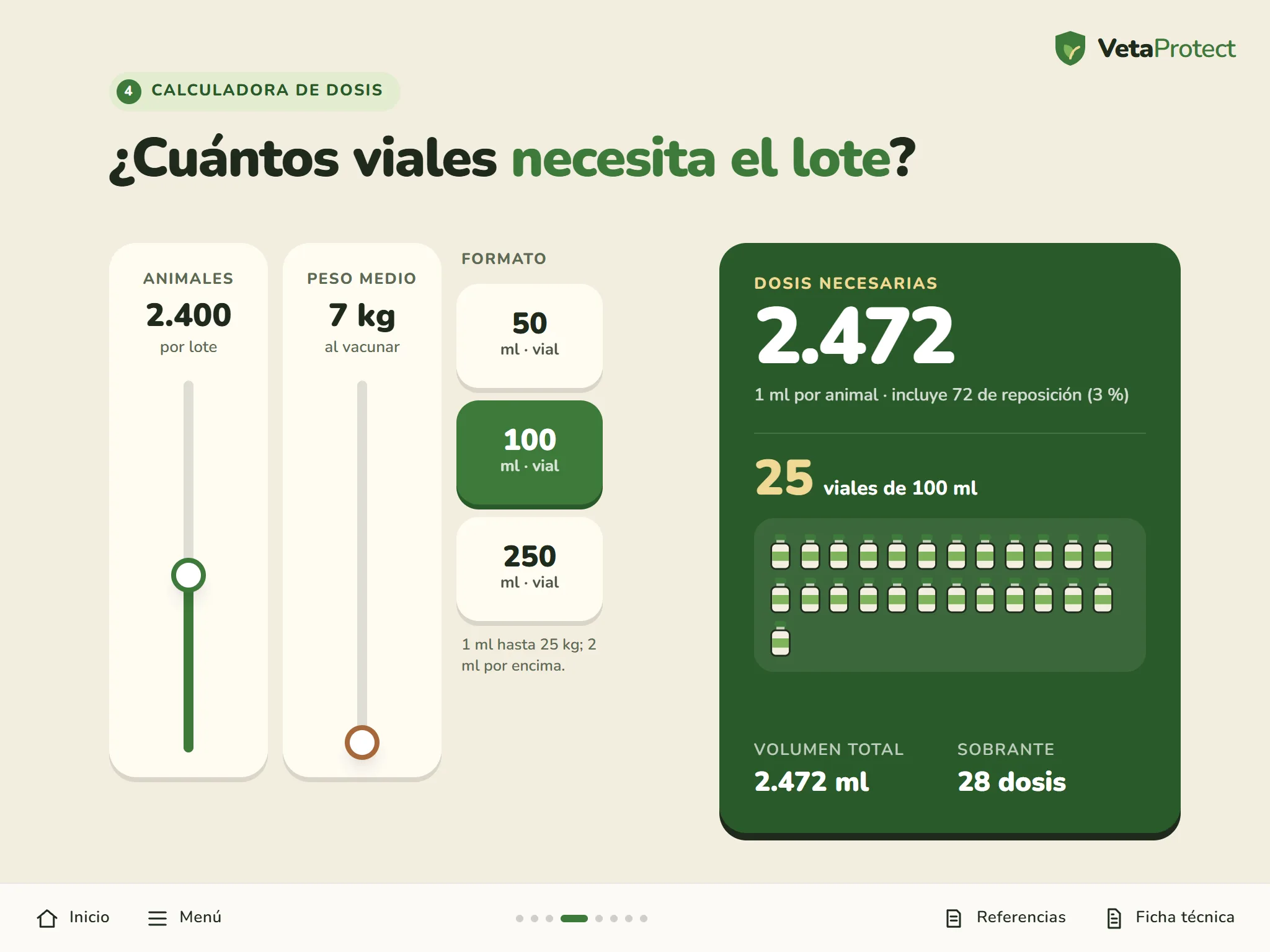
For any company that sells face to face
Industry, construction, consumer goods or automotive: if your team shows your product on a tablet, an interactive presentation helps it sell. And in life sciences, where CLM was born, it is everyday practice.
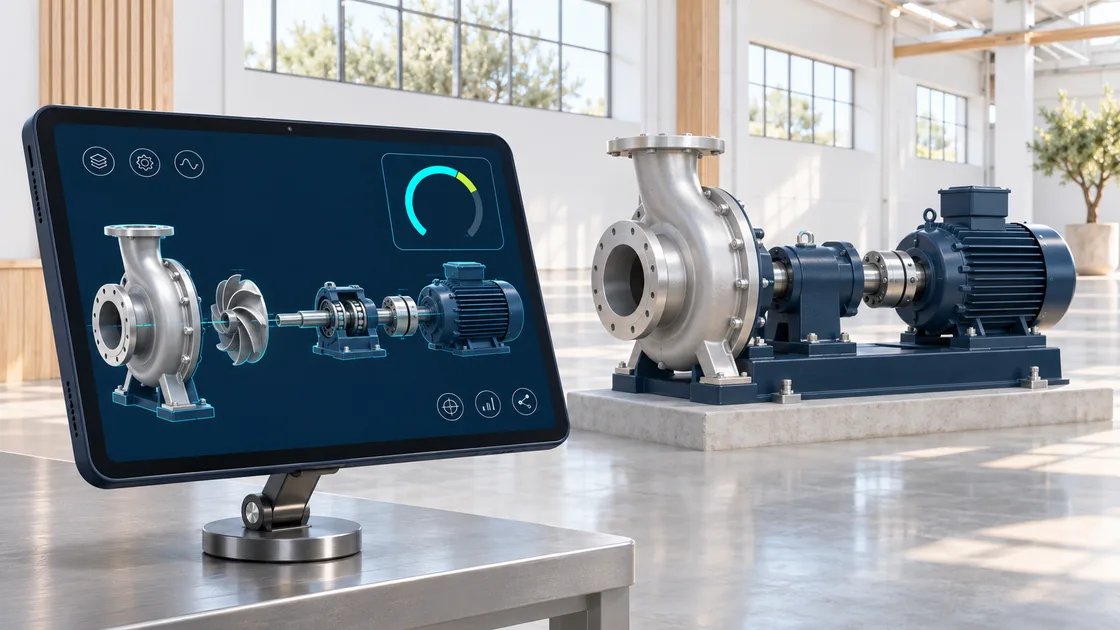
Industry and construction
Technical catalogues, exploded views, product selectors and calculators that work on site or on the factory floor.
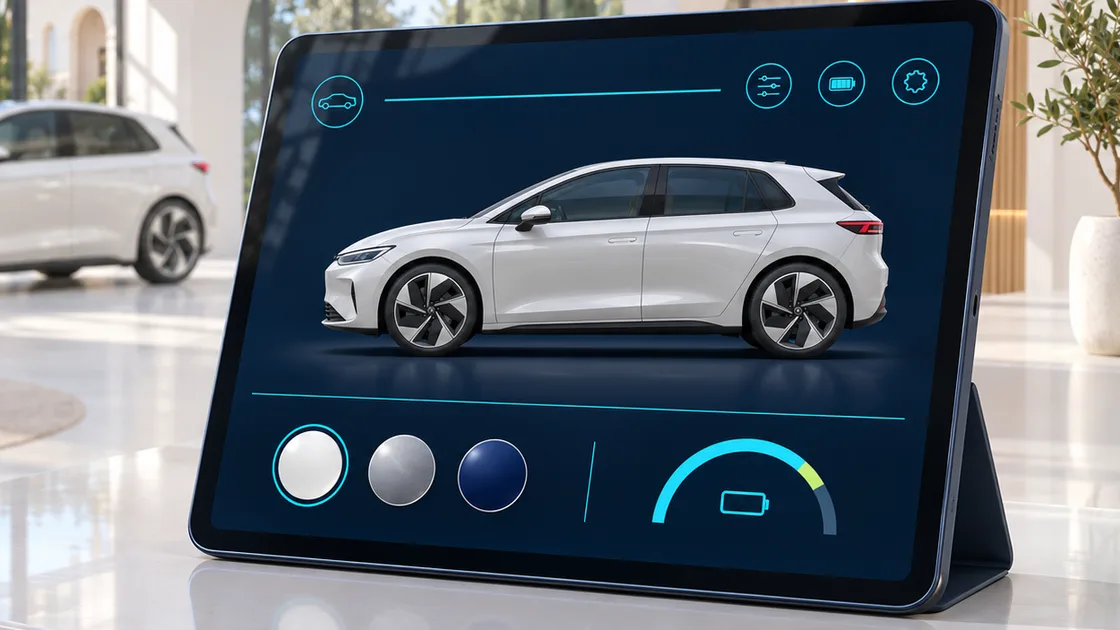
Consumer goods and automotive
Point-of-sale proposals and configurators for the dealership customer.
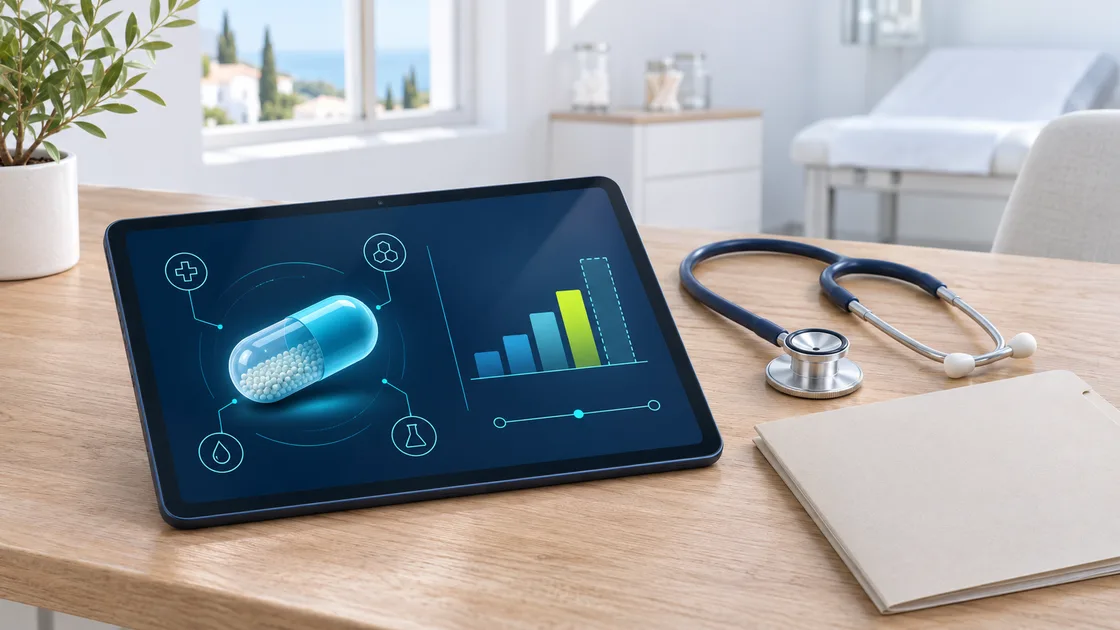
Pharmaceutical
The medical visit: presentations for the rep, approved emails, MSL material and visits over video call.
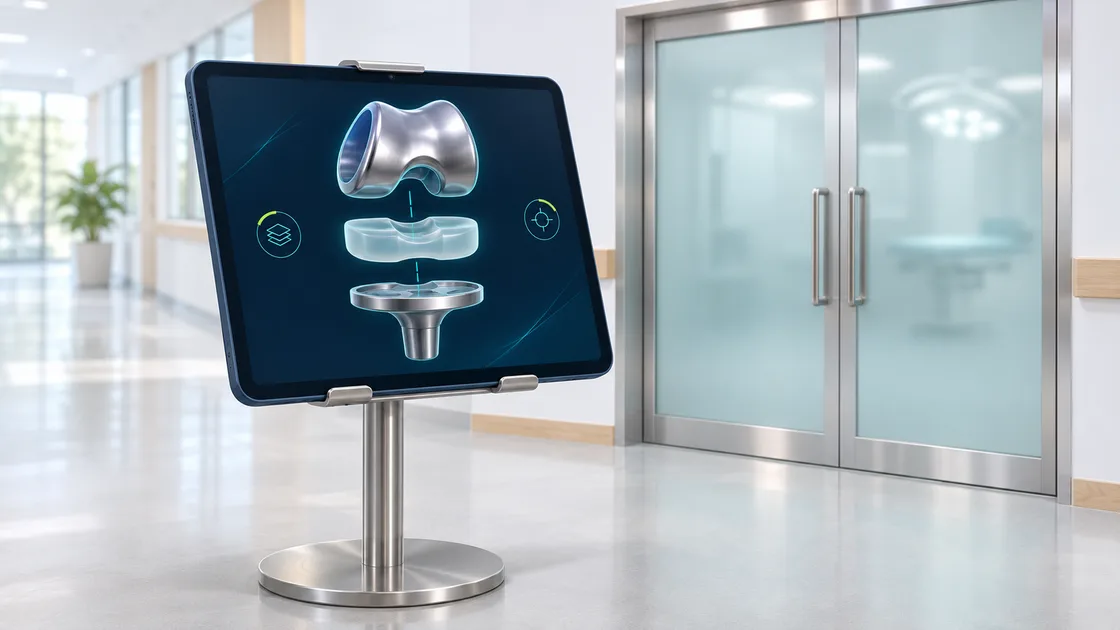
Medical devices
3D models, surgical technique and comparisons to show an implant or a device to the specialist.
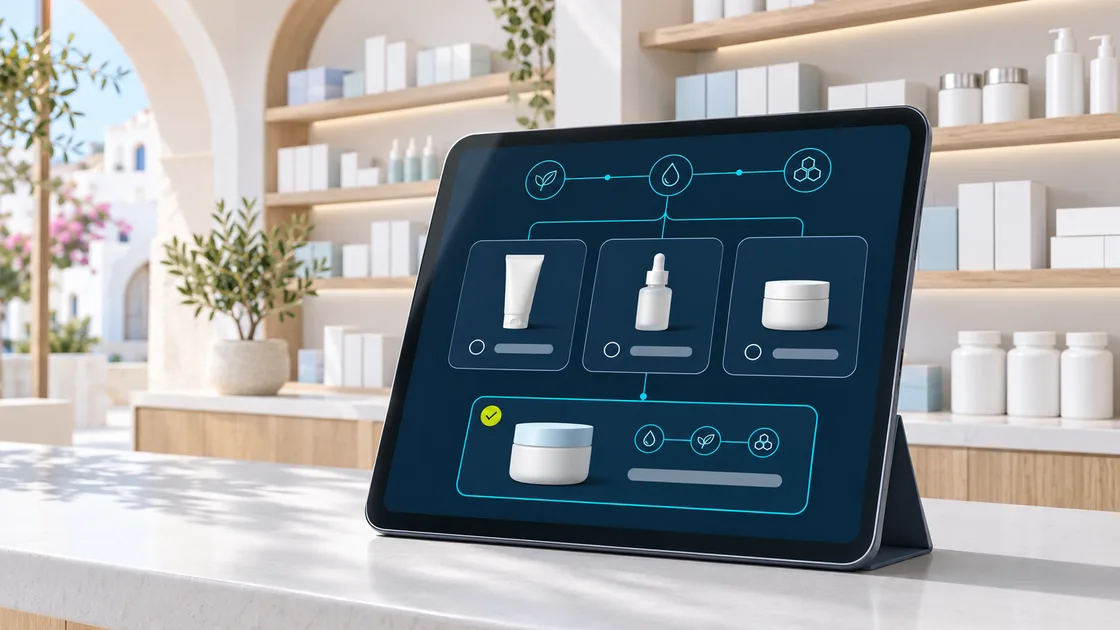
Pharmacy and consumer health
Training for pharmacists, product finders for the counter and shelf proposals. Nutrition too.
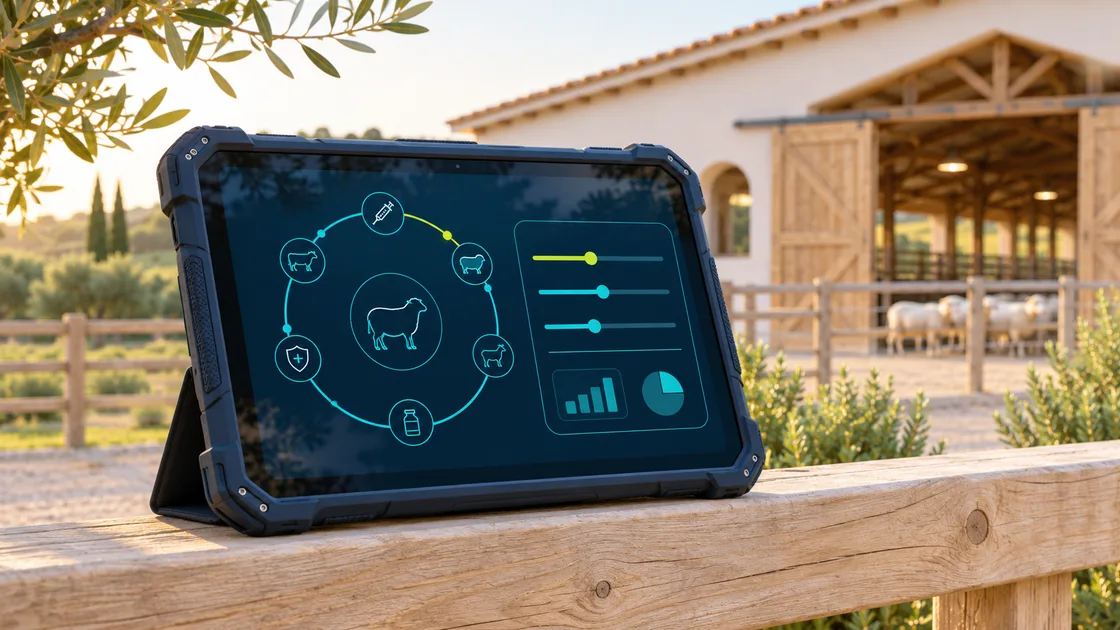
Animal health
Visits to vets and farms with calculators by number of animals and vaccination schedules.
It runs on the platform your team already uses
Each platform has its own rules: how each screen is packaged, how navigation works, what is recorded and how it is published. We prepare your presentation for yours and, if you switch platforms, we bring it with you.
-
 Vault CRM, Veeva CRM, PromoMats and Engage
-
 Life Sciences Cloud
-
 OCE
-
 Offline interactive presentations
-
 HTML5 content for sales teams
-
 eWizard, modular content
-
 Activator, modular content
- Don't use any? It can also run as a web or app on your team's tablets.
Names and logos are trademarks of their respective owners. They are shown only to indicate which platforms our work is compatible with.
We write it with you or start from yours
We write it
We work with professionals who write for each sector: medical and scientific writing in healthcare, technical writing in industry, commercial copy in consumer goods. We shape the message, support it with references and get it ready for review.
We start from yours
If you already have approved copy, a PDF or a PowerPoint, send it over and we turn it into an interactive presentation without touching what has already been validated.
Want to train your field team on the product too?
E-LEARNING
How we work
-
01
We listen
What you want to say, to whom, on which platform and with which brand and technical guidelines.
-
02
We shape the message
The script and the navigation tree: what goes on each screen, what opens up and what is measured.
-
03
We design
The brand template and every screen, designed for a fingertip and a visit of a few minutes.
-
04
We build and test
In the browser, on a real iPad and in your platform's test environment.
-
05
Approval and publishing
We support the medical, legal and regulatory review rounds and get everything ready to publish.
-
06
We measure and improve
With the usage data we decide with you what to change in the next version.
The words you will hear
- CLM (Closed Loop Marketing)
- Marketing that closes the loop: present, measure the response and improve. In pharma, by extension, the interactive tablet presentation.
- eDetailing
- A sales visit supported by a digital presentation. "Detailing" is the rep's visit to the doctor to explain a product in detail.
- Visual aid
- The classic name for the material the rep shows. Once printed, now digital.
- Key message
- Each screen of the presentation. Platforms record how long each one is viewed.
- Sales rep
- The company employee who visits healthcare professionals or customers.
- MSL (Medical Science Liaison)
- A scientific role in the company that talks to doctors about science, not sales.
- MLR
- Medical, legal and regulatory review that every piece of material goes through before use.
- Prescribing information
- The official document of a medicine. Every presentation must give access to it.
- CRM
- The system where a company keeps its customers and everything that happens with them: visits, calls and emails.
- Approved Email
- A pre-approved email the rep sends, personalising only what is allowed.
- Clickstream
- The record of what is tapped in the presentation: buttons, answers or calculator values.
- Offline
- The presentation is downloaded to the tablet and works without coverage. Data is sent once the connection is back.
- Omnichannel
- Coordinating visits, email, web and video calls so the customer gets a consistent message.
What people usually ask us
What is a CLM?
An interactive tablet presentation the sales team shows at every visit. It works offline and records which screens interest each customer, so the next version can be better. It is also called eDetailing or an interactive visual aid.
I'm not in pharma. Is this for me?
Yes. Any company that sells face to face with a tablet, such as a machinery manufacturer, a car dealership or a consumer goods brand, can have its own interactive presentation and learn what its customers care about.
Do I need a Veeva licence or one for another platform?
If your company already uses one, we work inside it: the licence is yours and we prepare and test the content in your environment. If you don't use any, the presentation can run as a web or app on your team's tablets.
We already have the presentation as a PDF or PowerPoint. Do we start from scratch?
No. That is the usual case: we start from what you have, keep what is already approved and make it interactive.
Do you write the content?
If you need it, yes: we work with professionals who write for each sector. And if you already have your copy, we start from it.
Does it work offline?
Yes. The presentation is downloaded to the tablet and works without coverage, for example in a hospital basement or on a farm. Whatever is recorded is sent once the connection is back.
Can it be shown over a video call?
Yes. We prepare the presentation to look right remotely too, taking into account what does not travel the same way in a remote meeting, such as video or 3D.
What data is recorded and who sees it?
What happens during the visit: which screens were seen, for how long and what was answered. Your company sees it in its CRM, under the same data protection rules as the rest of its sales information.
Can you move our presentations to another platform?
Yes. We adapt them to the new platform or to the new version of the one you use, such as the move from Veeva CRM to Vault CRM, and to other countries and languages.
What does the budget depend on?
The number of screens, how much interaction they include, the languages and the platforms they are published on. Once we see your material we send you a fixed proposal.
What do you want your team to tell?
Tell us what you sell, to whom and on which platform, and we will suggest how to turn it into an interactive presentation. We reply within 24 working hours.